How To Add Your VAT Number Or Change Your Invoice Address
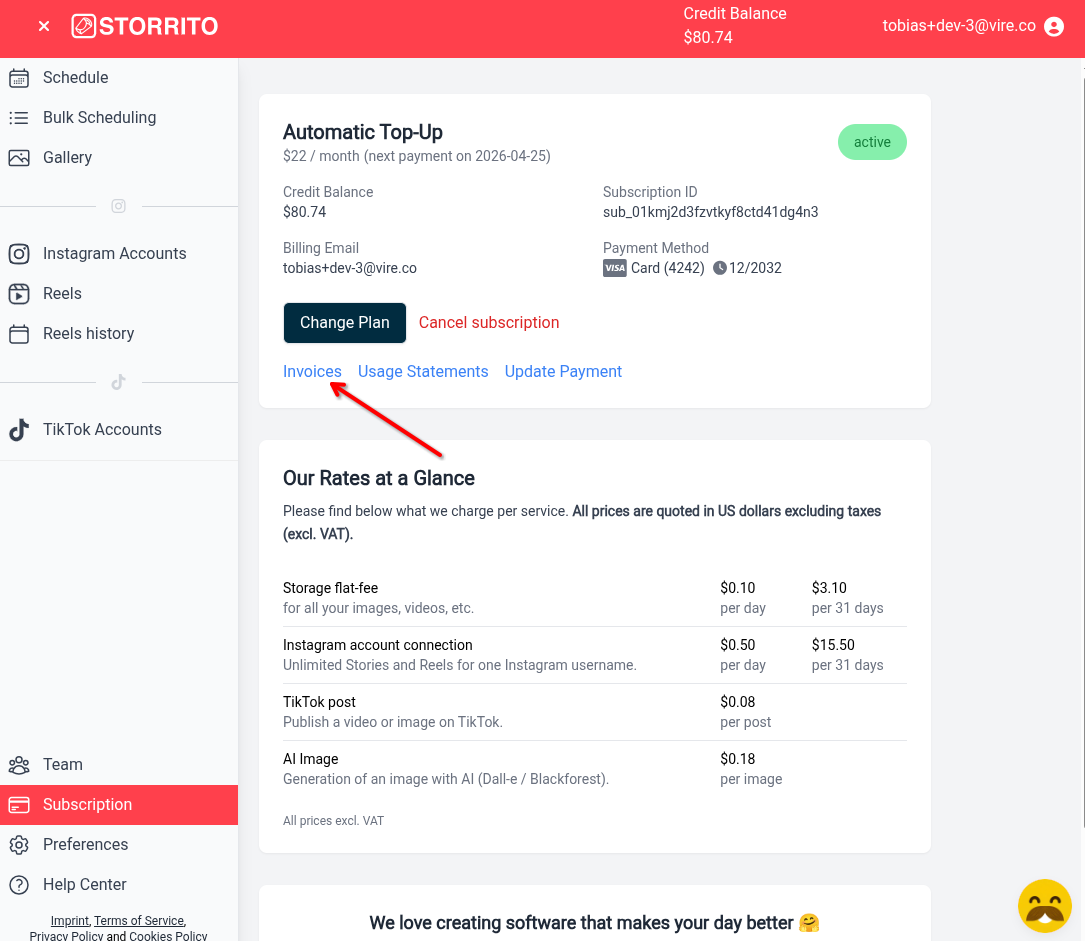
First, navigate to the Subscription page in Storrito and click Invoices.
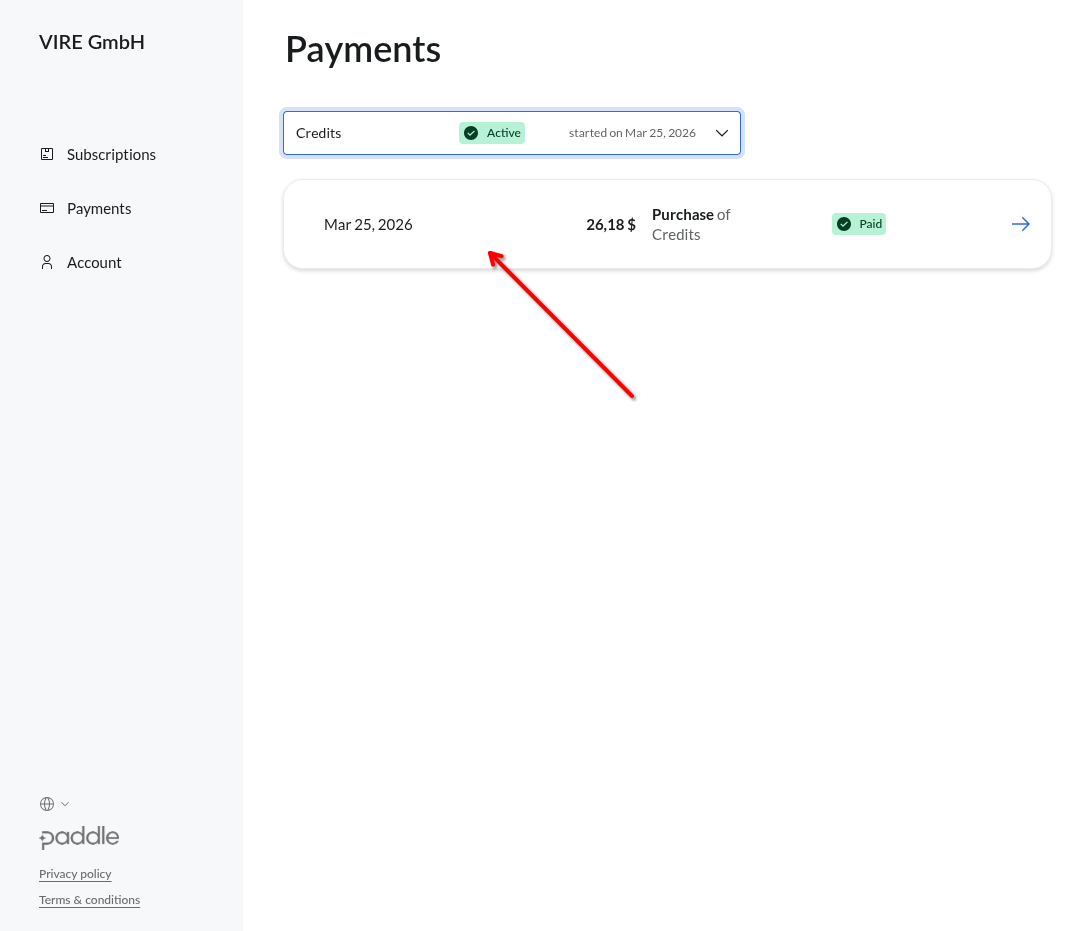
Then find the payment you want to add your VAT number and address to:
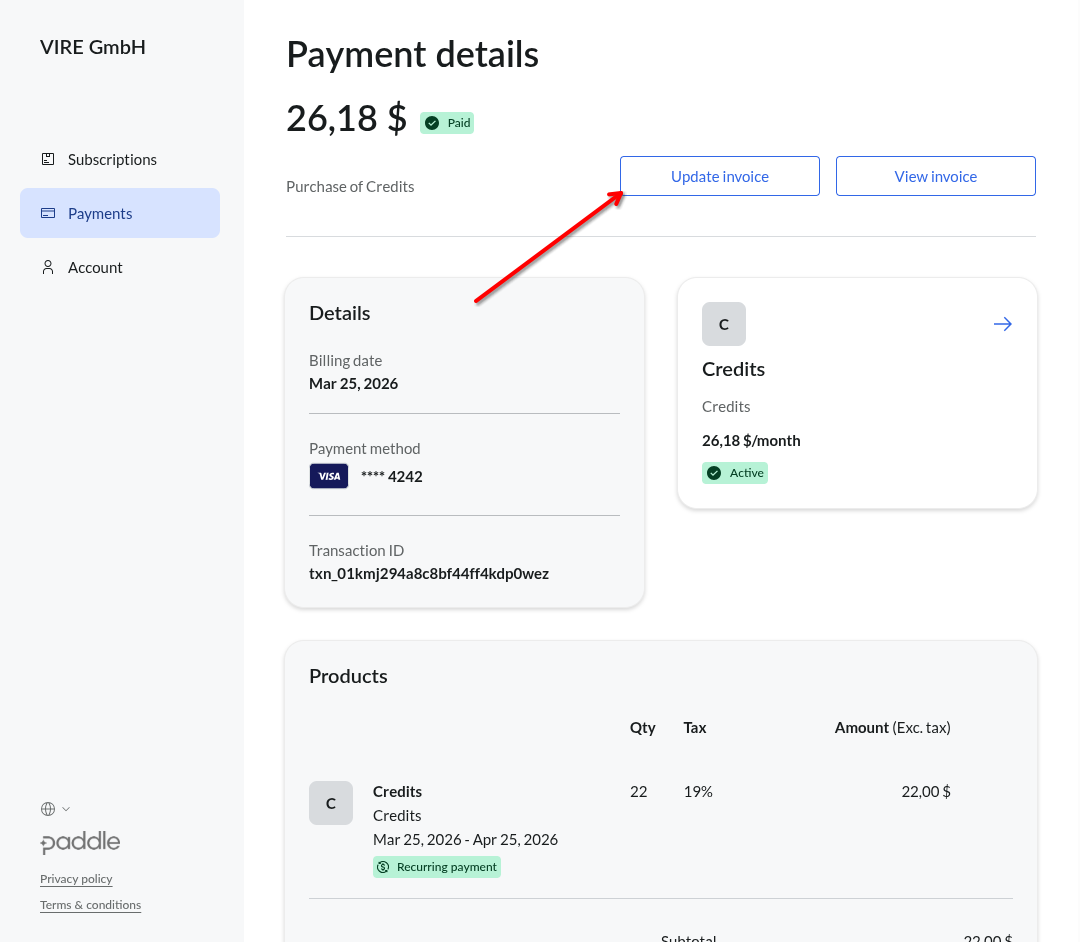
Click on “Update Invoice”
In the next menu, enter your name, address and VAT number and click on “Update Invoice”
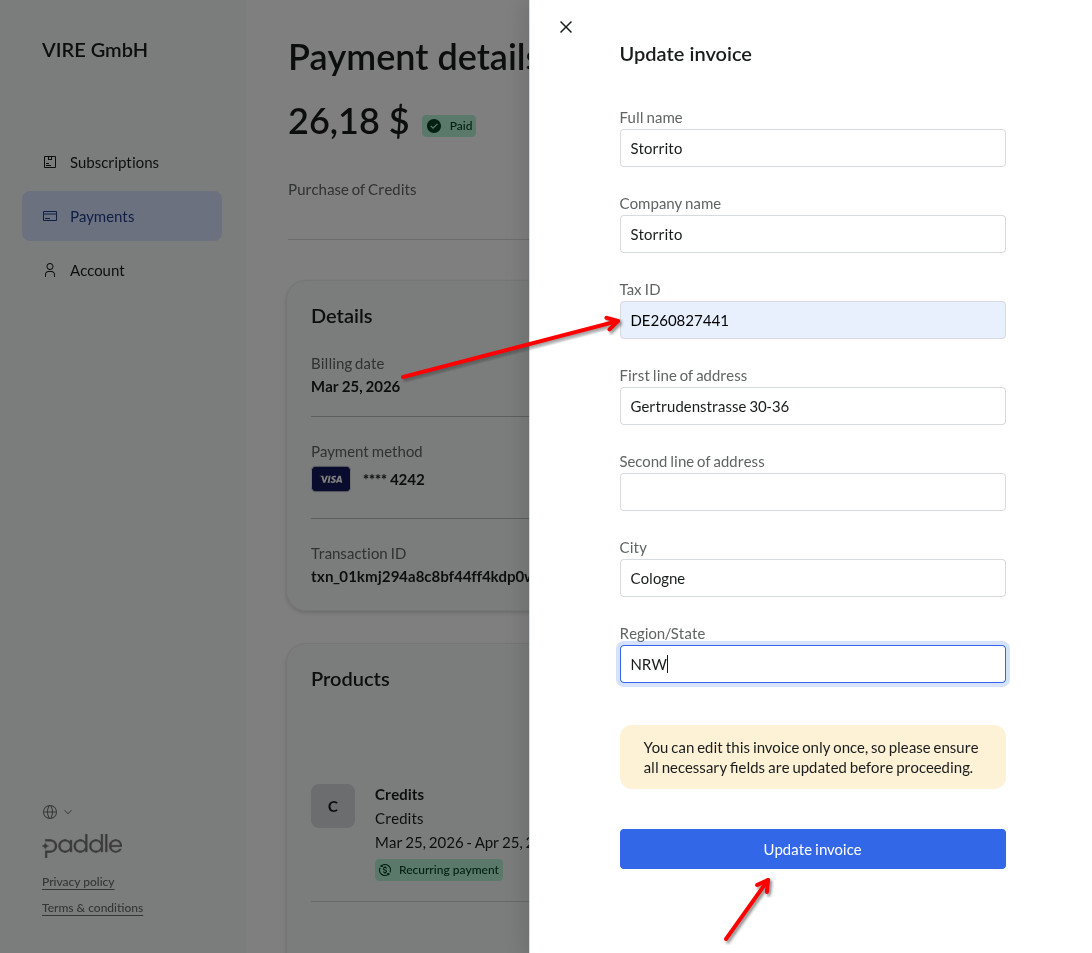
Paddle will refund the tax you have already paid once you provide your VAT number.
Please bear in mind that the refund process can take a few days.
If you are on an older version of Storrito (for example Storrito Standard, Professional or Enterprise), your invoices are not in Paddle's portal. Email your VAT number and invoice address to support@storrito.com and we will arrange the correction with Paddle.
Tools
- Subtitle overlay
- Auto Post Instagram Stories
- How to Upload a Video to Instagram Story from PC
- Schedule Instagram Stories with the Link Sticker
- Instagram bio generator
- Upload and post Instagram Reels from PC
- Subtitle generator
- Instagram grid maker
- Schedule Instagram Stories
- Turn an MP3 into an Instagram Story video
- Can you schedule Instagram stories? Yes, with Storrito.com! (Here's How)
- Instagram Story bingo generator
- Storrito toolbox
- Instagram Story Planner (Scheduler)
- Instagram font generator
- Instagram Story 'this or that' generator
- Schedule Facebook Stories from PC
- Instagram Story Maker Online
- Trim a video
- Instagram carousel maker
- PDF to Instagram carousel
- How to schedule Instagram Reels
- How to add a story in Instagram from PC or Mac?
- Post Instagram Stories from PC
- Instagram Story tier list generator