Can I Edit A Scheduled Reel?
Yes. You can change the caption, the date and two of the options of a scheduled Reel until Storrito starts posting it. The video itself stays as you scheduled it.
How to edit a scheduled Reel
Step 1: Open the Schedule page and hover over the Reel you want to change.
Step 2: Click Edit. The Reel opens with its caption, options and date filled in. A note under the account name tells you that you are editing the scheduled Reel.
Step 3: Change what you need:
- the caption
- the date and time
- Recommend on Facebook
- Share to Instagram main Feed
Step 4: Click Update scheduled Reel.
Storrito updates the Reel you opened and does not create a second one. The Schedule page then shows the new caption and time.
What you can't change
- The Instagram account: a scheduled Reel stays on the account it was scheduled for
- The video: the Reel posts the video as it was when you scheduled it
- The cover photo and the AI-generated content label: both stay as you set them when you scheduled
To change one of these, cancel the Reel and schedule it again.
When a Reel can no longer be edited
You can edit a Reel as long as its scheduled time is in the future and Storrito has not started posting it. A Reel that is being posted, has failed or is already live can't be edited.
For a Reel that is being posted or has failed, Edit opens the form for a new Reel with the old caption filled in. Anything you save there is scheduled as a second Reel. A Reel that is already live has no Edit button.
How to cancel a scheduled Reel
Hover over the Reel on the Schedule page and click Cancel:
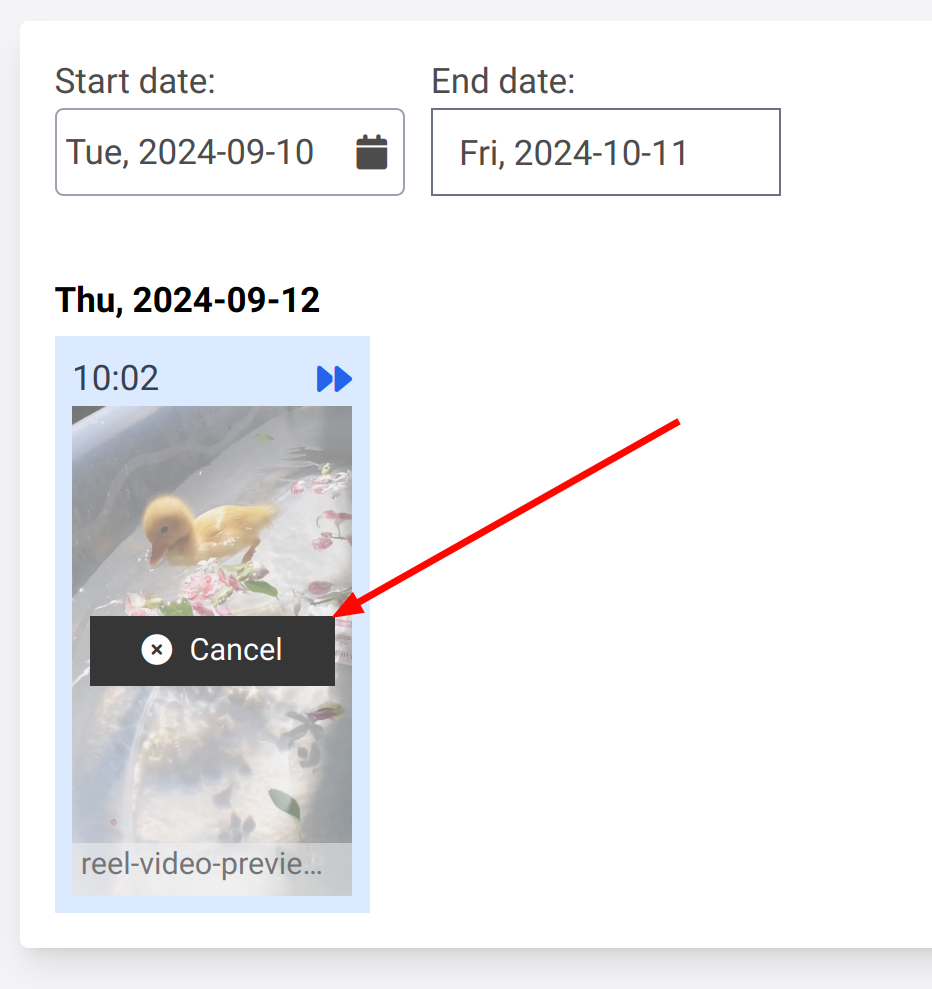
Where to find the Reel options
When you schedule, the Instagram Reel options card holds the cover photo upload, Recommend on Facebook, Show Reel in Instagram posts, and the AI-generated content label. The caption comes from the Caption / description field above the card. See How To Schedule Instagram Stories And Reels.
Tagging people and adding music are not supported for Reels in Storrito.
Tools
- Subtitle overlay
- Auto Post Instagram Stories
- How to Upload a Video to Instagram Story from PC
- Schedule Instagram Stories with the Link Sticker
- Instagram bio generator
- Upload and post Instagram Reels from PC
- Subtitle generator
- Instagram grid maker
- Schedule Instagram Stories
- Turn an MP3 into an Instagram Story video
- Can you schedule Instagram stories? Yes, with Storrito.com! (Here's How)
- Instagram Story bingo generator
- Storrito toolbox
- Instagram Story Planner (Scheduler)
- Instagram font generator
- Instagram Story 'this or that' generator
- Schedule Facebook Stories from PC
- Instagram Story Maker Online
- Trim a video
- Instagram carousel maker
- PDF to Instagram carousel
- How to schedule Instagram Reels
- How to add a story in Instagram from PC or Mac?
- Post Instagram Stories from PC
- Instagram Story tier list generator