Confirming Login Attempts On Instagram
To keep the connection with Instagram and Storrito reliable, you must confirm the login activity originating from your Storrito account. Here's how to do it:
Step 1: Open the Instagram App on your mobile device.
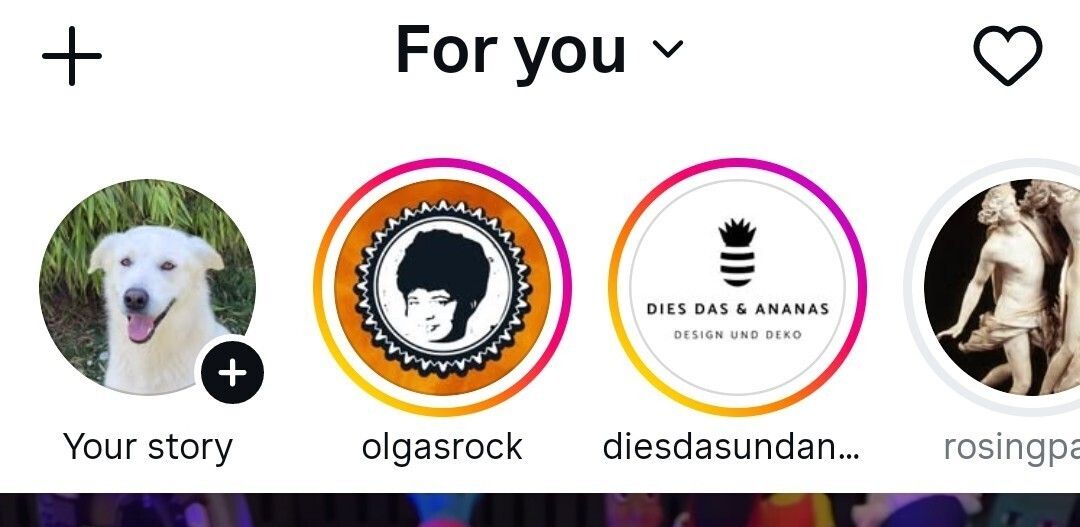
Step 2: Click on the heart symbol in the top right to find your notifications.
Step 3: Here, you should see a notification of the Storrito login.
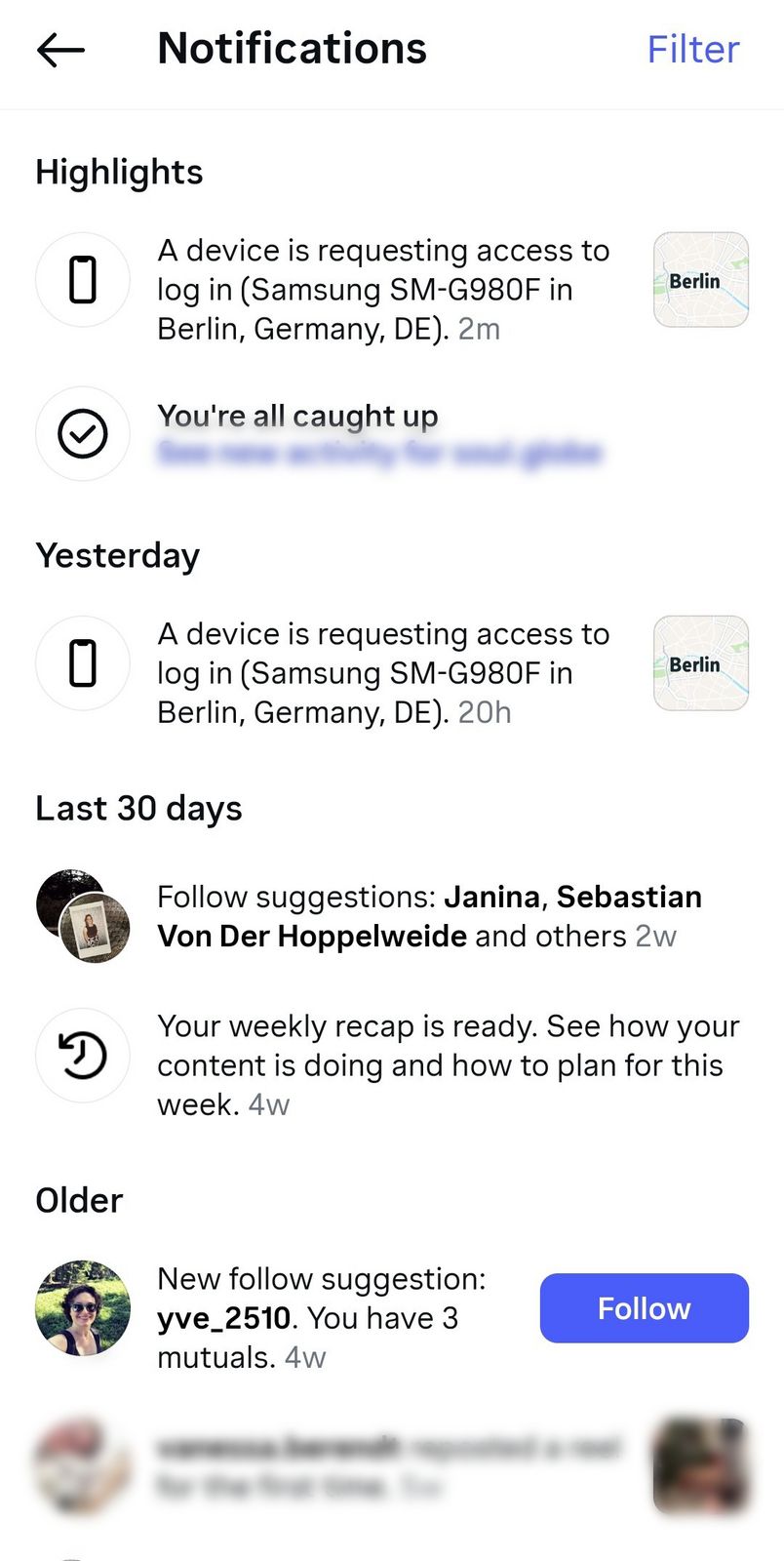
Step 4: Tap on this notification.
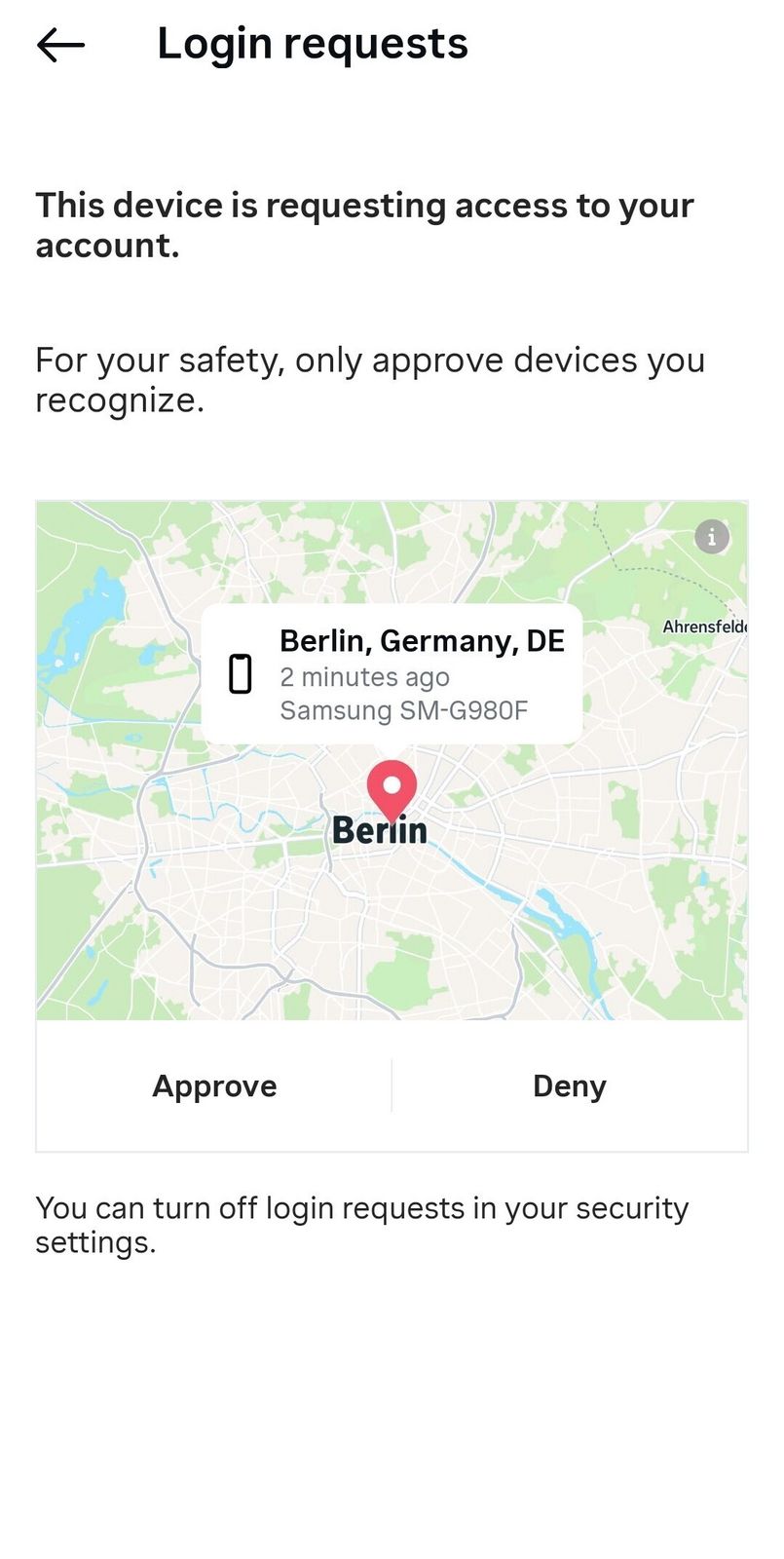
Step 5: Click approve.
Additional Tips
Allow Future Connections: By confirming Storrito's login here, you help ensure smoother future connections, as Instagram will recognize Storrito logins as coming from a trusted device
Monitor Security Alerts: Use the Meta Accounts Center via Instagram to keep track of your account security
Following these steps will help keep your Instagram connection to Storrito stable and secure.
Tools
- Subtitle overlay
- Auto Post Instagram Stories
- How to Upload a Video to Instagram Story from PC
- Schedule Instagram Stories with the Link Sticker
- Instagram bio generator
- Upload and post Instagram Reels from PC
- Subtitle generator
- Instagram grid maker
- Schedule Instagram Stories
- Turn an MP3 into an Instagram Story video
- Can you schedule Instagram stories? Yes, with Storrito.com! (Here's How)
- Instagram Story bingo generator
- Storrito toolbox
- Instagram Story Planner (Scheduler)
- Instagram font generator
- Instagram Story 'this or that' generator
- Schedule Facebook Stories from PC
- Instagram Story Maker Online
- Trim a video
- Instagram carousel maker
- PDF to Instagram carousel
- How to schedule Instagram Reels
- How to add a story in Instagram from PC or Mac?
- Post Instagram Stories from PC
- Instagram Story tier list generator