How To Add The Mention Sticker
The Mention sticker is a great marketing tool for tagging other accounts in your Instagram Stories. Here's how to add it using Storrito.
Steps to Add a Mention Sticker in Storrito
Step 1: In the editor, click “Sticker” in the left sidebar to open the sticker panel.
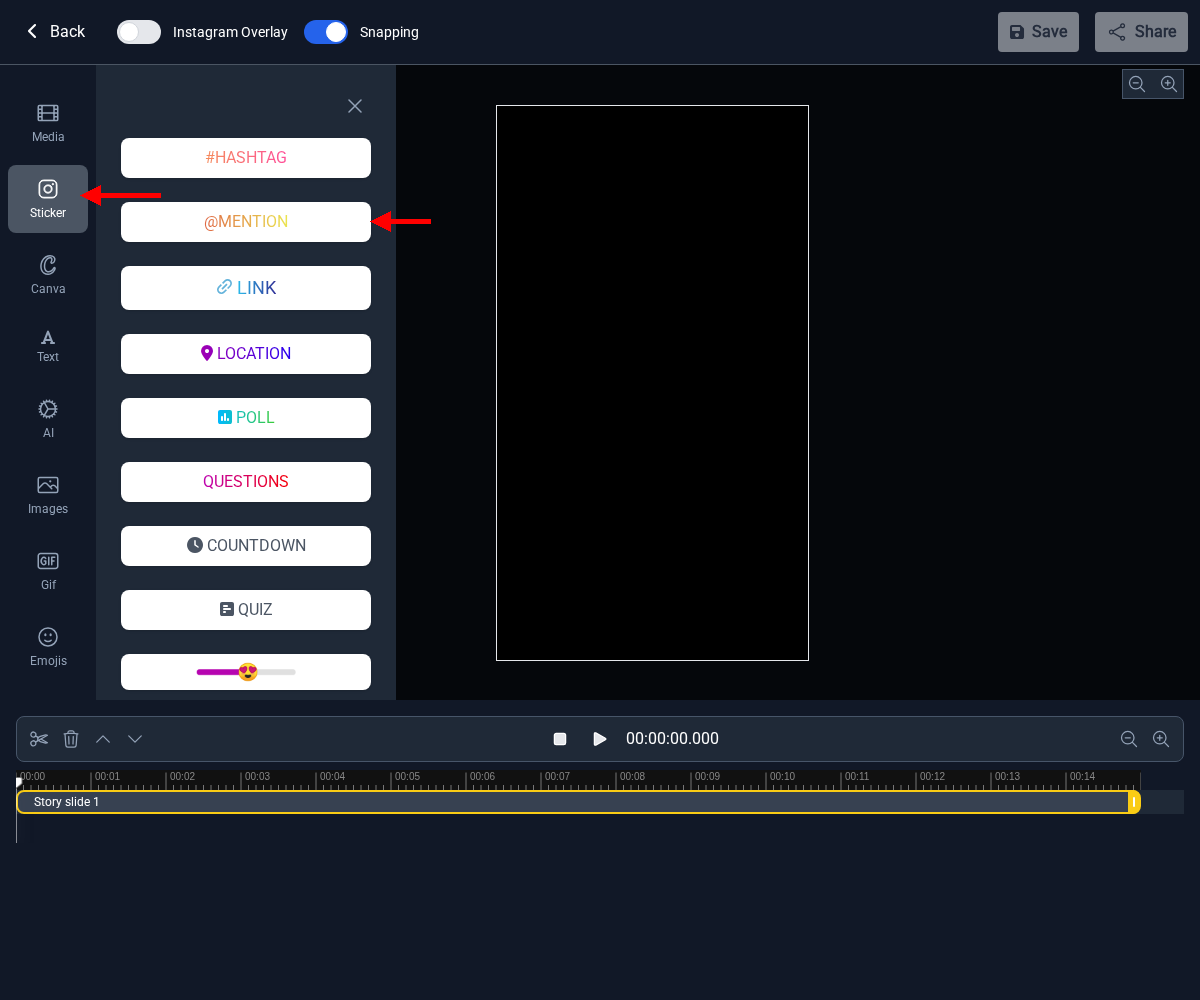
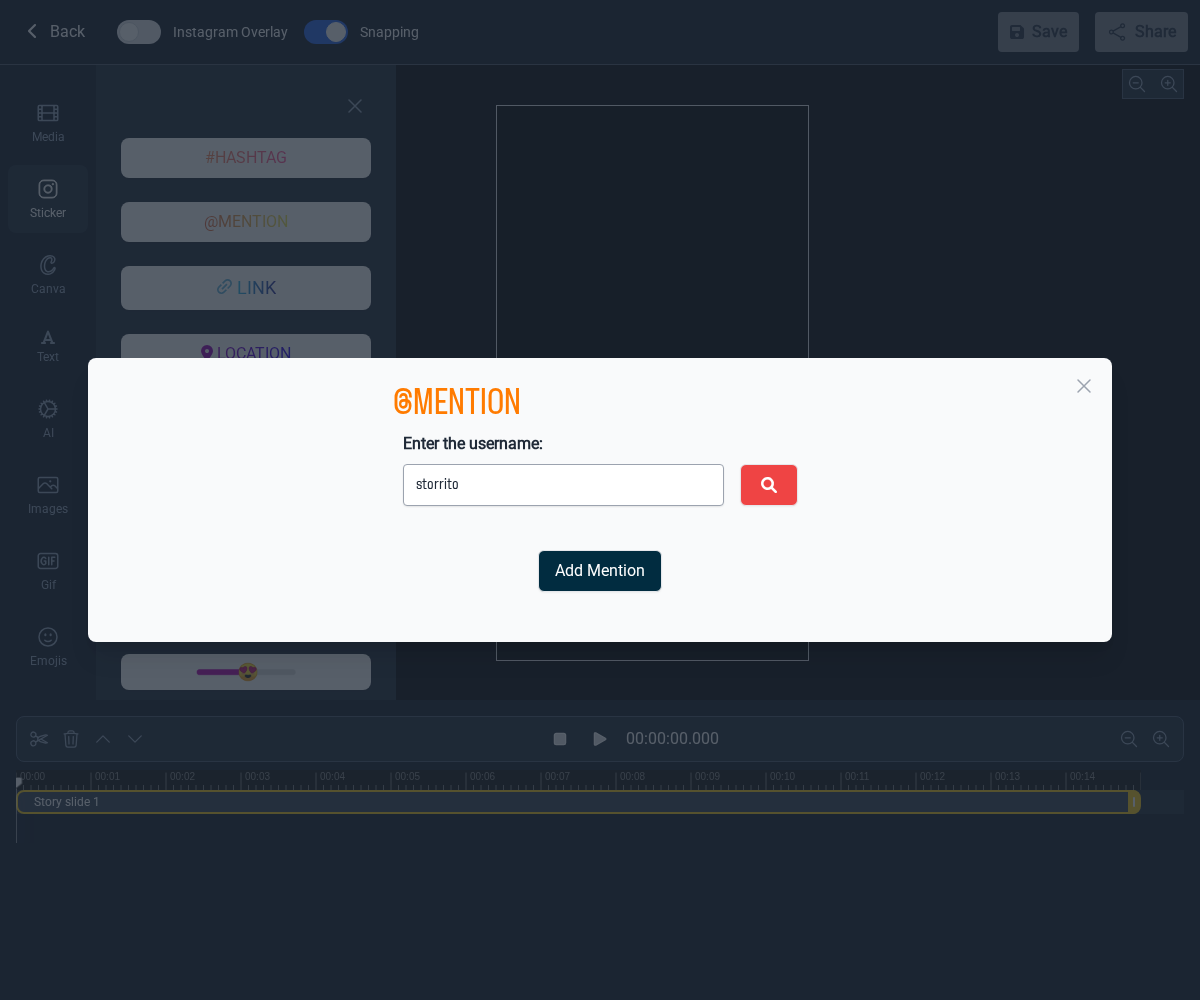
Step 2: Click the “@MENTION” button. A dialog will appear where you can enter the username.

Step 3: Enter the username you want to mention and click “Add Mention”.

Step 4: The Mention sticker is now part of your story. You can drag it to reposition it on the canvas.
Usernames you've mentioned before
When you open the @MENTION dialog, you'll see the usernames you've mentioned in previous Stories. These are saved suggestions so you don't have to retype a username you use often.
An account is only tagged on a slide if you add the sticker to that slide — click @MENTION, pick or type the username, then click Add Mention. If the sticker isn't sitting on the canvas, that account isn't tagged.
If you're interested in learning more about how the mention sticker can benefit your business, check out our in-depth article here.
Tools
- Subtitle overlay
- Auto Post Instagram Stories
- How to Upload a Video to Instagram Story from PC
- Schedule Instagram Stories with the Link Sticker
- Instagram bio generator
- Upload and post Instagram Reels from PC
- Subtitle generator
- Instagram grid maker
- Schedule Instagram Stories
- Turn an MP3 into an Instagram Story video
- Can you schedule Instagram stories? Yes, with Storrito.com! (Here's How)
- Instagram Story bingo generator
- Storrito toolbox
- Instagram Story Planner (Scheduler)
- Instagram font generator
- Instagram Story 'this or that' generator
- Schedule Facebook Stories from PC
- Instagram Story Maker Online
- Trim a video
- Instagram carousel maker
- PDF to Instagram carousel
- How to schedule Instagram Reels
- How to add a story in Instagram from PC or Mac?
- Post Instagram Stories from PC
- Instagram Story tier list generator