The Music Sticker
You can now schedule Instagram Stories with a real, tappable Music sticker — with the song baked into your story. The music comes straight from Instagram's own catalog through your connected account, and Storrito posts the story for you, fully automatically.
Watch the full walkthrough on YouTube:
Steps to Add a Music Sticker in Storrito
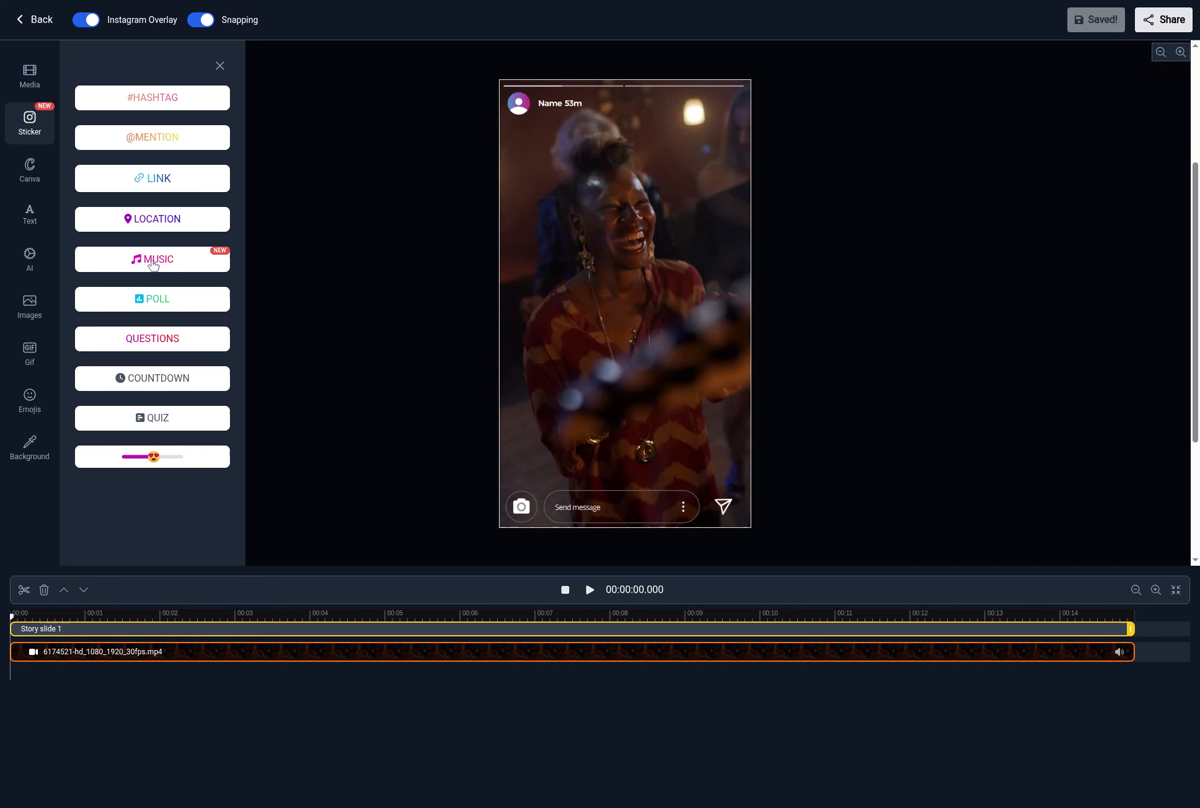
Step 1: In the editor, click "Sticker" in the left sidebar and then click the new "MUSIC" button.
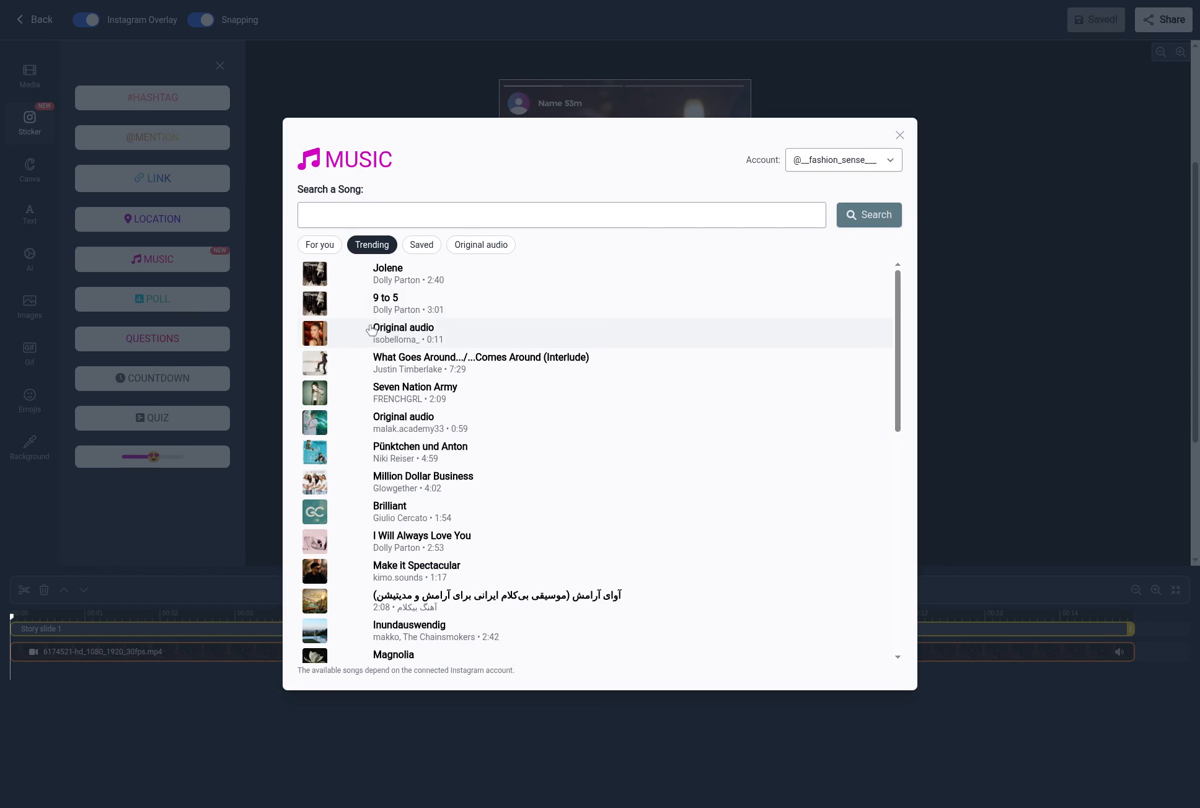
Step 2: Pick a song. The available songs come from Instagram's music catalog through your connected Instagram account, so you get exactly what you'd see in the Instagram app:
- For you and Trending tabs
- Your Saved songs
- Original audio playlists
- Or simply search for the song you want
You can preview any song right in the dialog before you pick it.
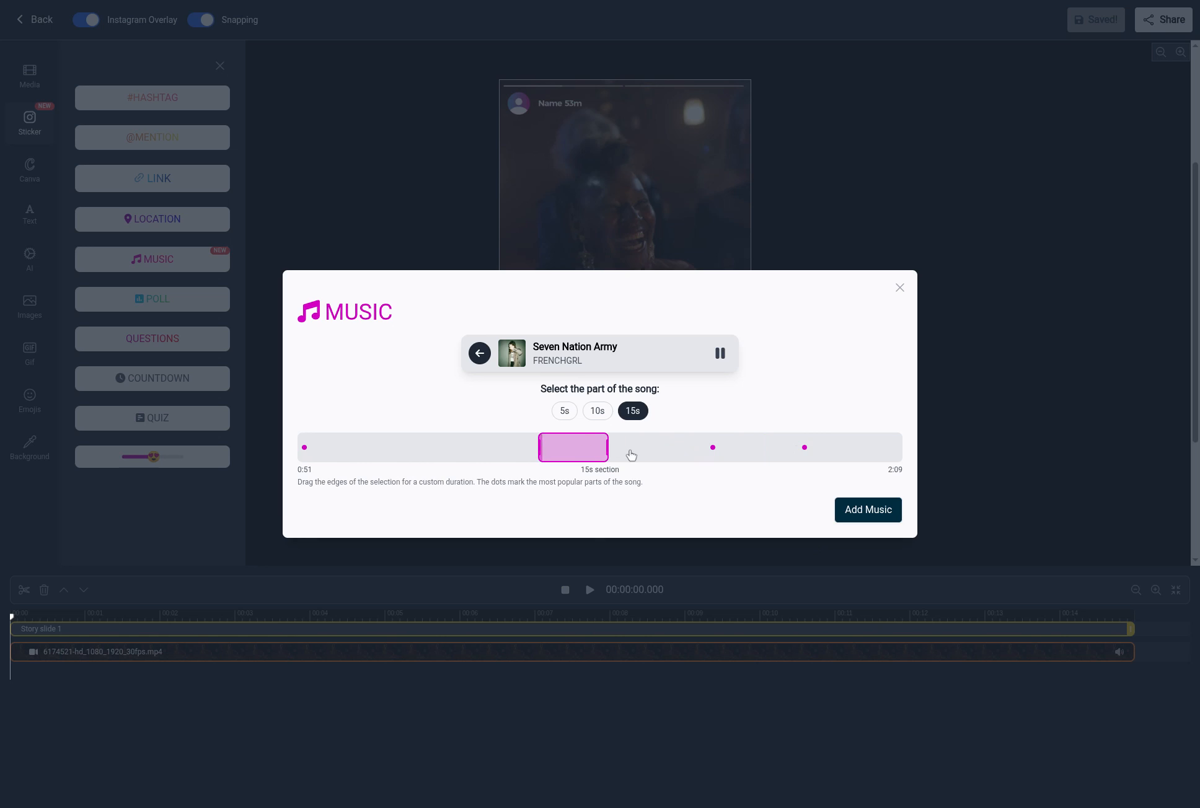
Step 3: Choose which part of the song plays. Pick a length (5s, 10s or 15s), drag the selection bar, or click one of the highlight dots — they mark the most popular parts of the song. When you're happy with the selection, click "Add Music".
Step 4: The Music sticker is now on your story. Notice that the song was also added as an audio track in the timeline below the canvas — the music is really part of your story video.
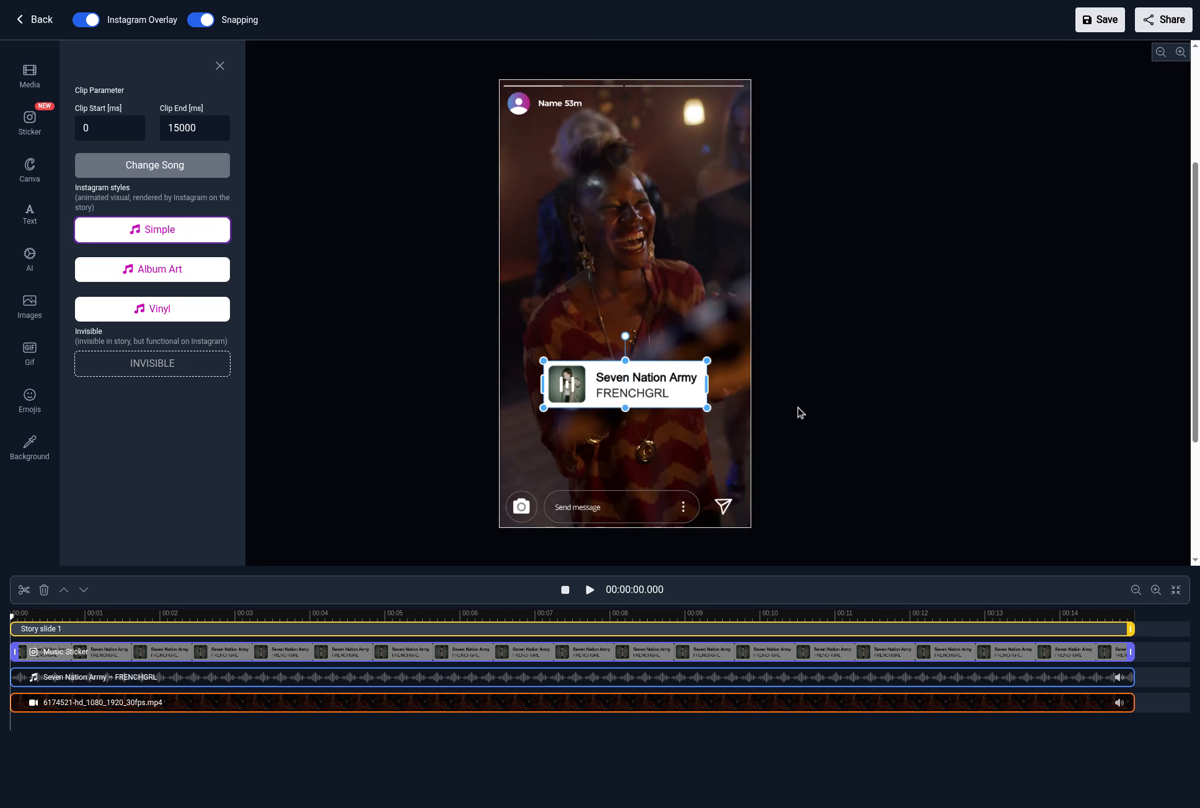
Step 5: Choose a sticker style. You get the same styles as in the Instagram app — Simple, Album Art and the spinning Vinyl — all animated exactly like the native ones. Or pick Invisible if you just want the music without a visible sticker.
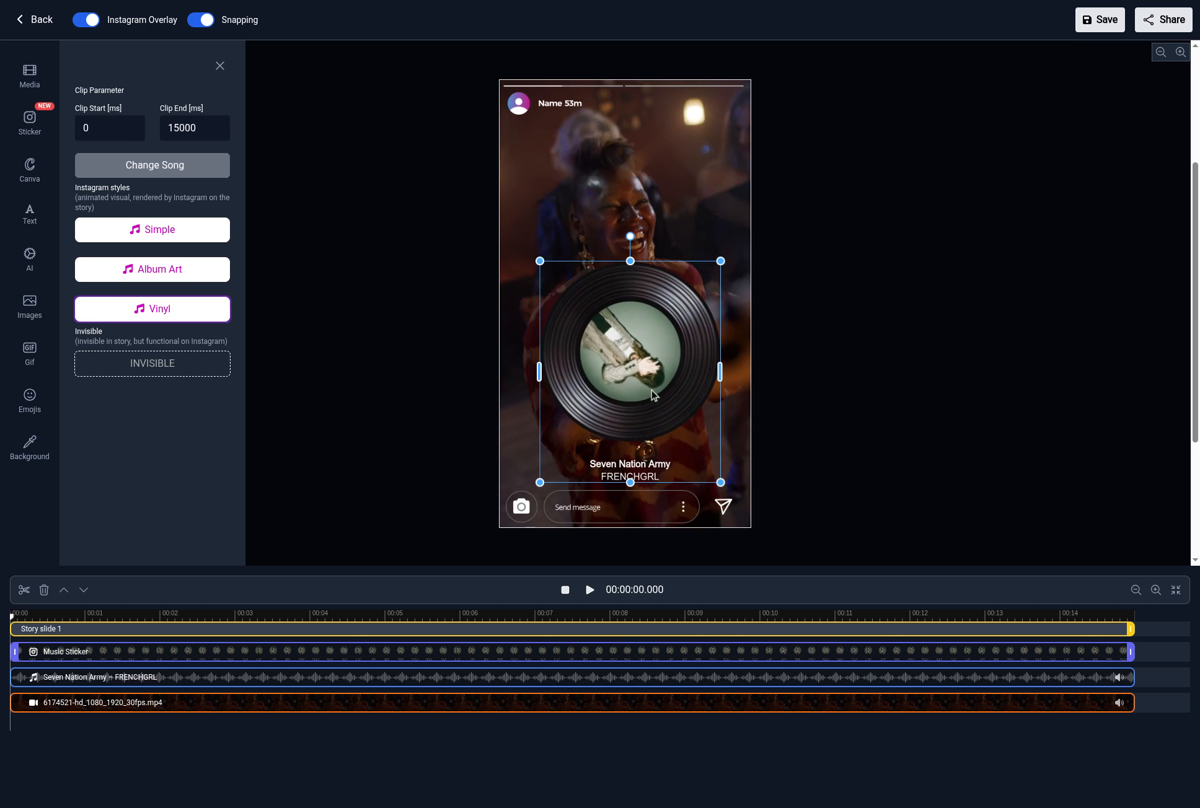
Step 6: Position and resize the sticker like any other element, then schedule your story like you always do.
What your viewers see
Once the story is published, the song plays, the sticker is animated, and it is actually tappable: your viewers can open the song on Instagram just like on a story posted from the app.
Good to know
- The available songs depend on the connected Instagram account. If a song isn't offered for your account (for example on some business accounts), it won't appear in the list.
- Want to use your own audio instead? You can still upload your own music files in the editor.
If you're interested in what other interactive stickers can do for you, check out our overview of interactive elements.
Tools
- Subtitle overlay
- Auto Post Instagram Stories
- How to Upload a Video to Instagram Story from PC
- Schedule Instagram Stories with the Link Sticker
- Instagram bio generator
- Upload and post Instagram Reels from PC
- Subtitle generator
- Instagram grid maker
- Schedule Instagram Stories
- Turn an MP3 into an Instagram Story video
- Can you schedule Instagram stories? Yes, with Storrito.com! (Here's How)
- Instagram Story bingo generator
- Storrito toolbox
- Instagram Story Planner (Scheduler)
- Instagram font generator
- Instagram Story 'this or that' generator
- Schedule Facebook Stories from PC
- Instagram Story Maker Online
- Trim a video
- Instagram carousel maker
- PDF to Instagram carousel
- How to schedule Instagram Reels
- How to add a story in Instagram from PC or Mac?
- Post Instagram Stories from PC
- Instagram Story tier list generator