How To Reset Your Instagram Password
Reset your password in your web browser:
To reset your password using a web browser, follow this link:
Reset your password while logged in:
If you're already logged into your Instagram account but need to access the login screen to reset your password, follow these steps:
Quick steps:
- Open the Instagram app
- Tap your username in the upper left corner
- Select add account
- Tap log into existing account
- Select switch accounts
- Tap get help logging in
- Enter your username and tap next
- Choose to receive a recovery email or SMS
Detailed steps with screenshots:
Step 1: Tap your username in the upper left corner, then select add account.

Step 2: Tap log into existing account.

Step 3: Select switch accounts.

Step 4: Tap get help logging in.
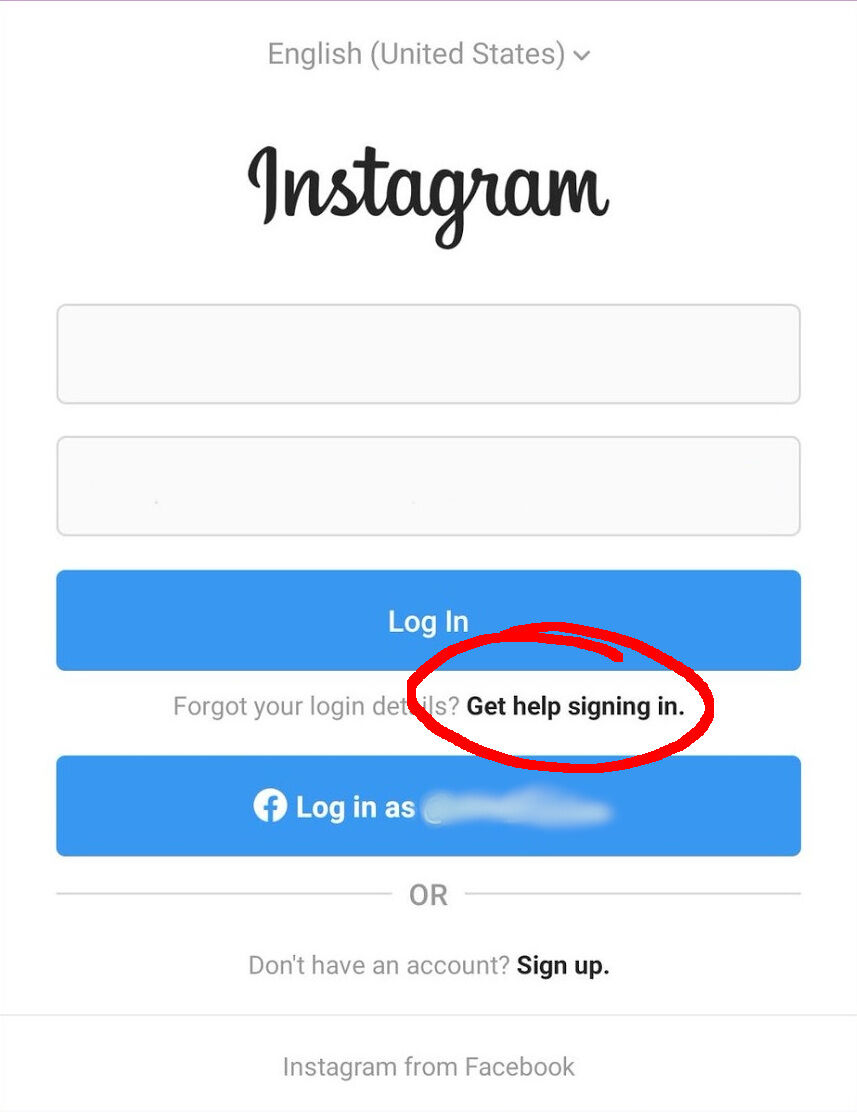
Step 5: Enter your username or email address, then tap next.

Step 6: Choose to receive the recovery email or SMS.
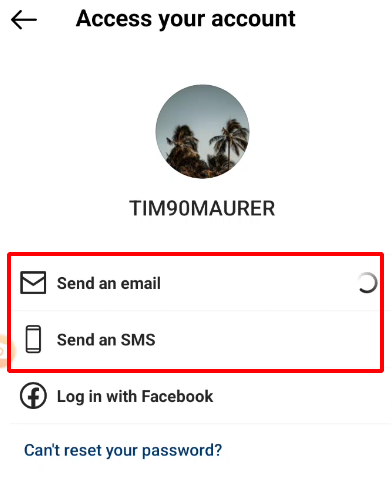
You should now receive a recovery email or SMS containing both a login and password reset link.
Tools
- Subtitle overlay
- Auto Post Instagram Stories
- How to Upload a Video to Instagram Story from PC
- Schedule Instagram Stories with the Link Sticker
- Instagram bio generator
- Upload and post Instagram Reels from PC
- Subtitle generator
- Instagram grid maker
- Schedule Instagram Stories
- Turn an MP3 into an Instagram Story video
- Can you schedule Instagram stories? Yes, with Storrito.com! (Here's How)
- Instagram Story bingo generator
- Storrito toolbox
- Instagram Story Planner (Scheduler)
- Instagram font generator
- Instagram Story 'this or that' generator
- Schedule Facebook Stories from PC
- Instagram Story Maker Online
- Trim a video
- Instagram carousel maker
- PDF to Instagram carousel
- How to schedule Instagram Reels
- How to add a story in Instagram from PC or Mac?
- Post Instagram Stories from PC
- Instagram Story tier list generator