Create A Connect Link For An Instagram Account
Connect-links allow you to generate a private and unique URL that lets an external person — such as a client — connect their Instagram account to your Storrito organization without needing their own Storrito login.
This is especially useful for agencies managing Instagram accounts on behalf of clients. Instead of asking clients to share their credentials, you send them a connect-link and they complete the connection themselves.
How It Works
- You generate a connect-link from within Storrito
- You share the link with your client (e.g. via email or chat)
- Your client opens the link and connects their Instagram account
- The account appears in your Storrito organization, ready to use
The client never needs a Storrito account. The link itself authorizes the connection.
Creating a Connect-Link
1. Open the Instagram Accounts Page
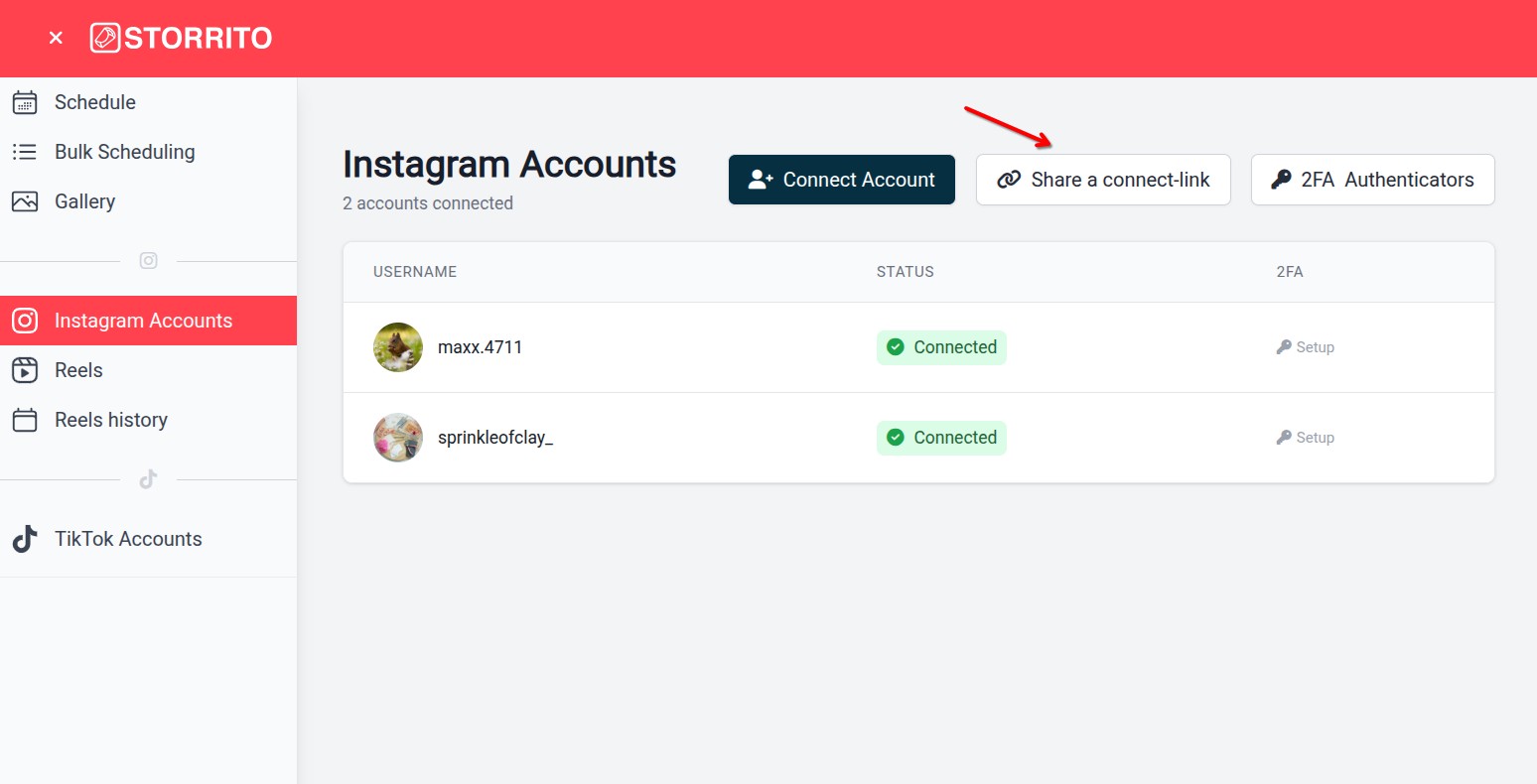
Log into Storrito and click “Instagram Accounts” in the left sidebar.
2. Click “Share a connect-link”
Click the “Share a connect-link” button in the top right corner. A modal will open.
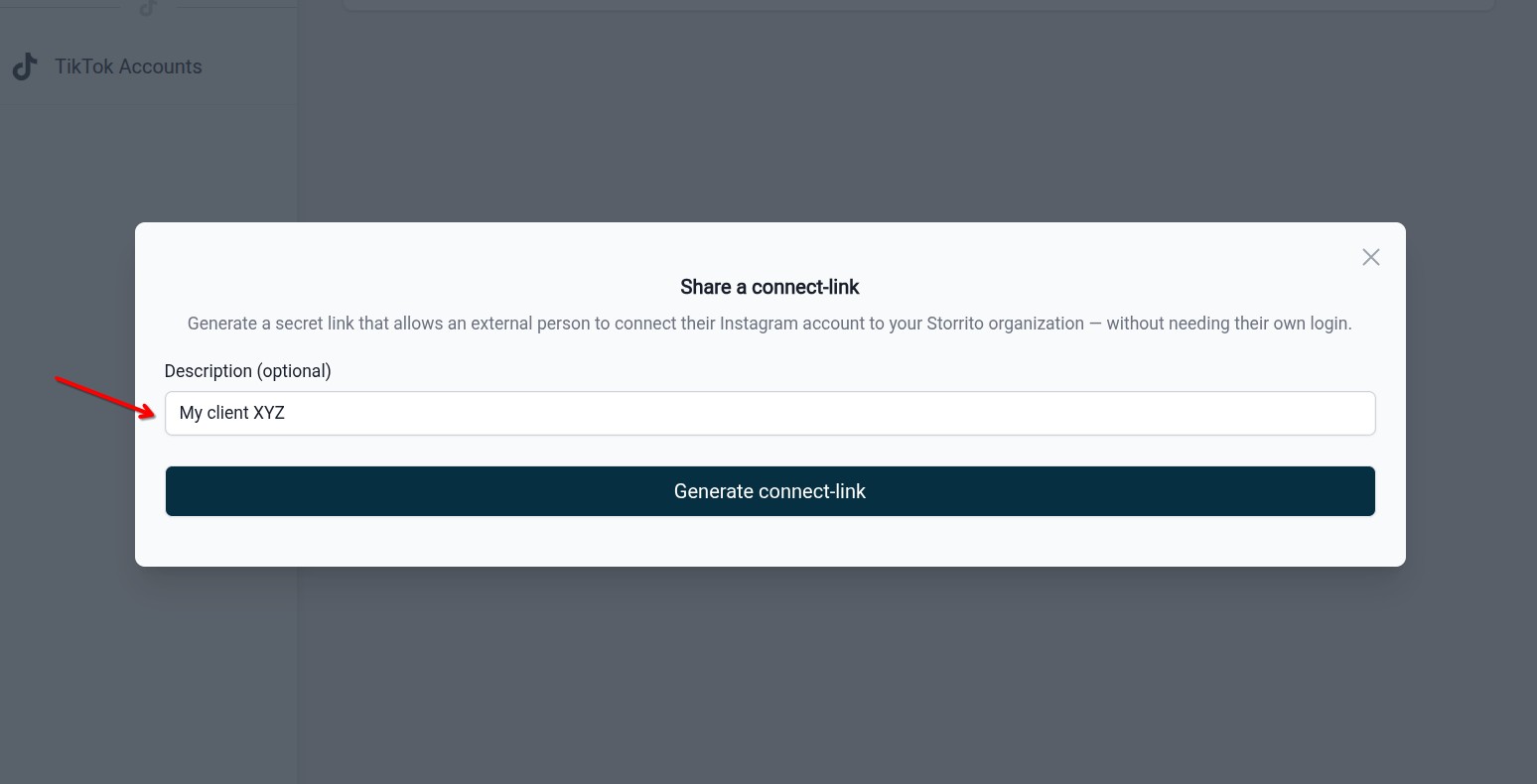
3. Add a Description (Optional)
Enter a description to help you identify the link later — for example, the client's name or Instagram handle.
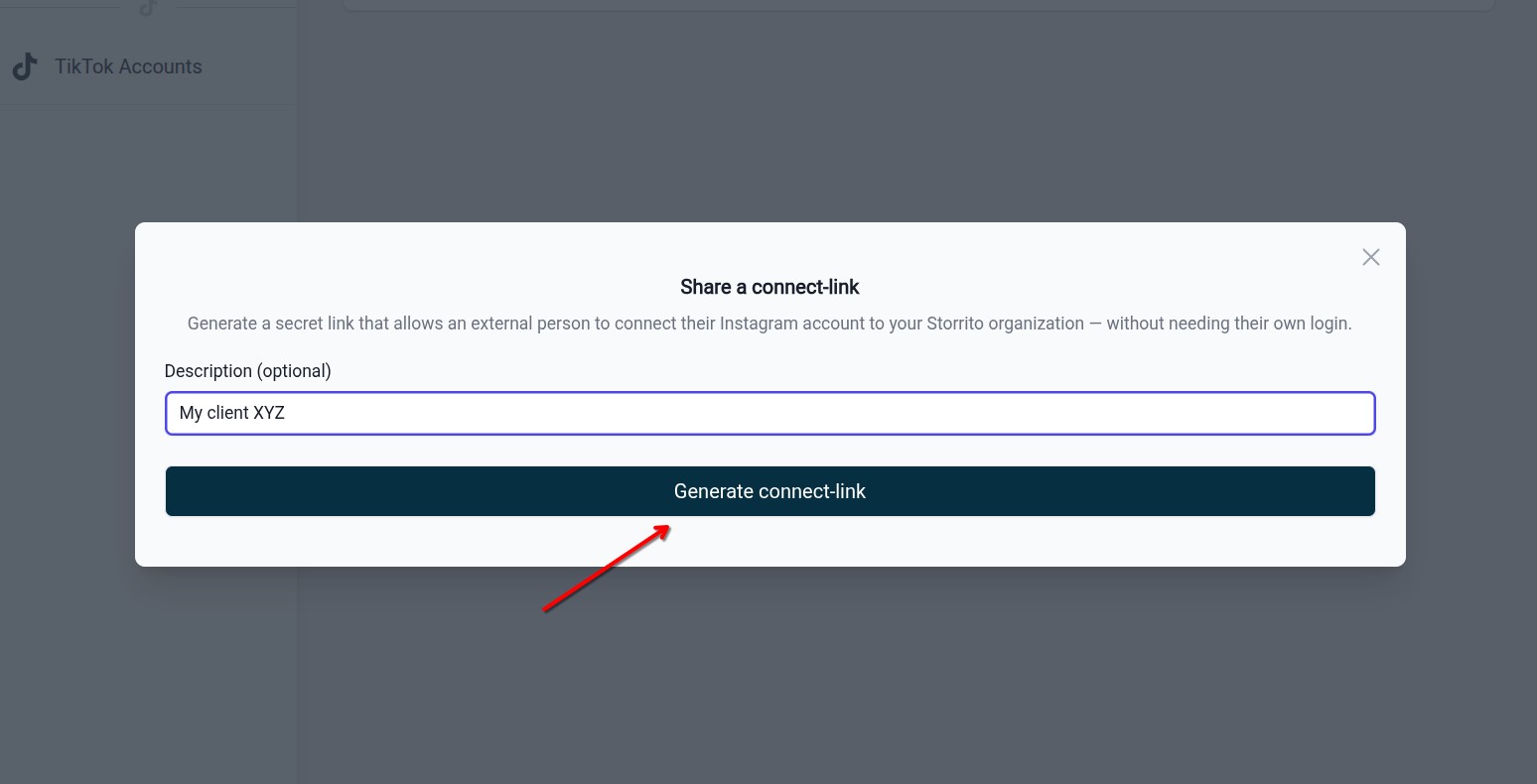
4. Generate the Link
Click “Generate connect-link”. Storrito creates a unique URL and displays it in the modal.
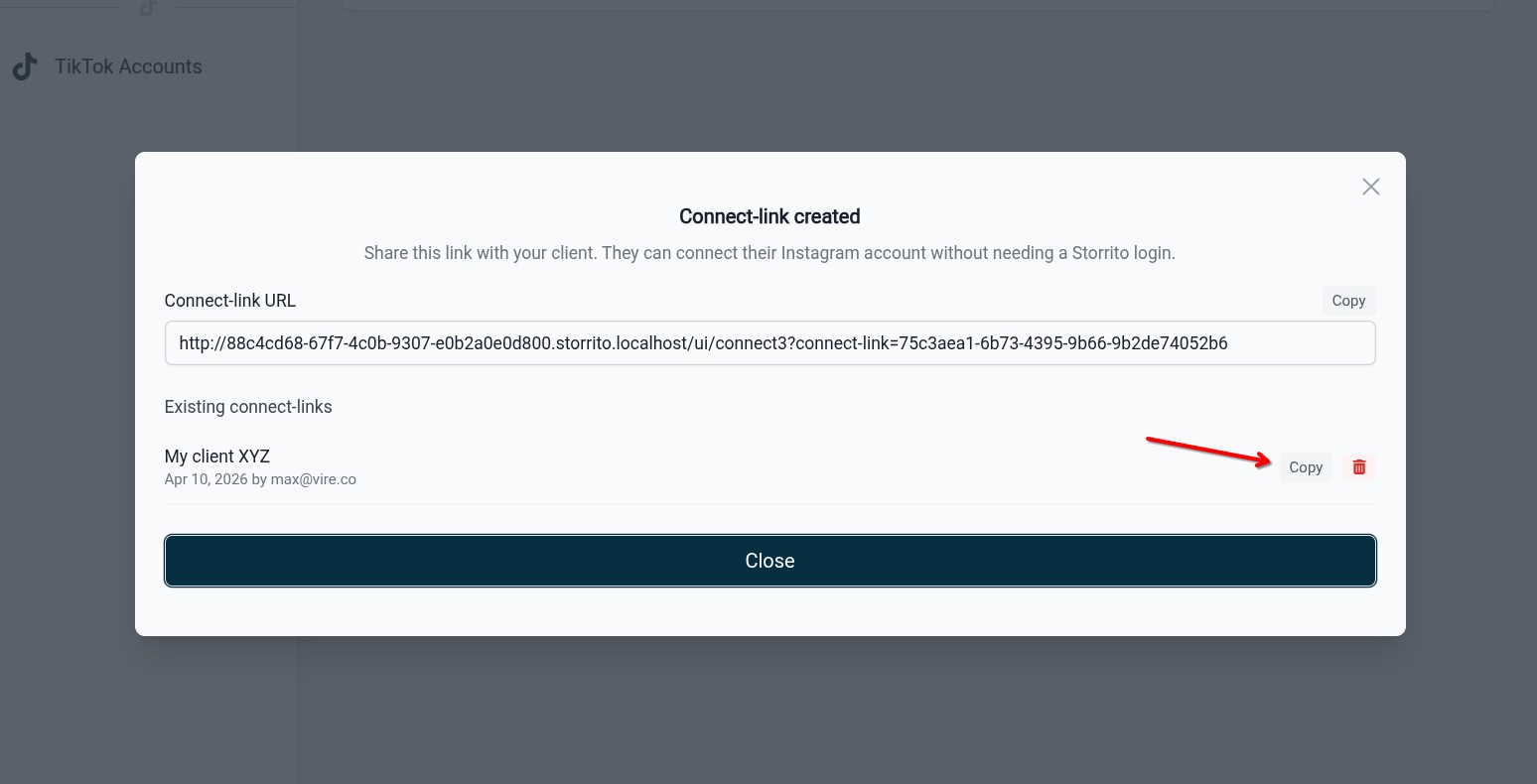
5. Copy and Share
Click “Copy” to copy the URL to your clipboard, then share it with your client.
What Your Client Sees
When your client opens the connect-link, they see a banner confirming who shared the link (your email address) and that the connection goes to your Storrito organization. They then go through the standard Instagram connection flow — entering their Instagram credentials and completing any two-factor authentication.
After a successful connection, they see a confirmation message and can close the window. The connected Instagram account immediately appears in your Storrito dashboard.
Managing Connect-Links
All your existing connect-links are listed at the bottom of the connect-link modal. Each entry shows:
- The description you entered
- The creation date and who created it
- A “Copy” button to re-share the link
- A delete button to revoke the link
Deleting a connect-link immediately invalidates it — anyone who tries to open it will see an error message.
Requirements
- Active subscription: Connect-links are only available on paid plans. Free accounts will see an upgrade prompt.
- Subscription must be active at connection time: If your subscription expires after you shared a link, the link will stop working until the subscription is renewed.
Security
- Each connect-link contains a unique, random identifier that cannot be guessed
- The link only works while your organization has an active subscription
- Your client sees the email address of the person who created the link, so they can verify it is legitimate
- You can delete a connect-link at any time to revoke access
- The link only allows connecting an Instagram account — it does not grant access to your Storrito dashboard or any existing data
FAQ
Can I create multiple connect-links? Yes. You can create as many connect-links as you need — one per client, or reuse the same link for multiple connections.
Does the connect-link expire? Connect-links do not have a built-in expiration date. They remain valid as long as your subscription is active and the link has not been deleted.
Can my client see my Instagram accounts or stories? No. The connect-link only allows connecting an Instagram account. Your client cannot access your Storrito dashboard.
What happens if I delete a connect-link after an account was connected? The Instagram account stays connected. Deleting a connect-link only prevents new connections through that link.
If you run into any issues, feel free to contact our support team.
Tools
- Subtitle overlay
- Auto Post Instagram Stories
- How to Upload a Video to Instagram Story from PC
- Schedule Instagram Stories with the Link Sticker
- Instagram bio generator
- Upload and post Instagram Reels from PC
- Subtitle generator
- Instagram grid maker
- Schedule Instagram Stories
- Turn an MP3 into an Instagram Story video
- Can you schedule Instagram stories? Yes, with Storrito.com! (Here's How)
- Instagram Story bingo generator
- Storrito toolbox
- Instagram Story Planner (Scheduler)
- Instagram font generator
- Instagram Story 'this or that' generator
- Schedule Facebook Stories from PC
- Instagram Story Maker Online
- Trim a video
- Instagram carousel maker
- PDF to Instagram carousel
- How to schedule Instagram Reels
- How to add a story in Instagram from PC or Mac?
- Post Instagram Stories from PC
- Instagram Story tier list generator