TikTok Integration
Storrito posts videos and images straight to TikTok, so you can handle your Instagram and TikTok content from one place.
Note: the TikTok integration covers regular TikTok posts only — TikTok Stories aren't supported.
Connect your TikTok account
Step 1: Go to TikTok Accounts in the left menu and click Connect TikTok Account. You can also do this from the scheduling page, via Connect account → Connect TikTok at the bottom of the account list.

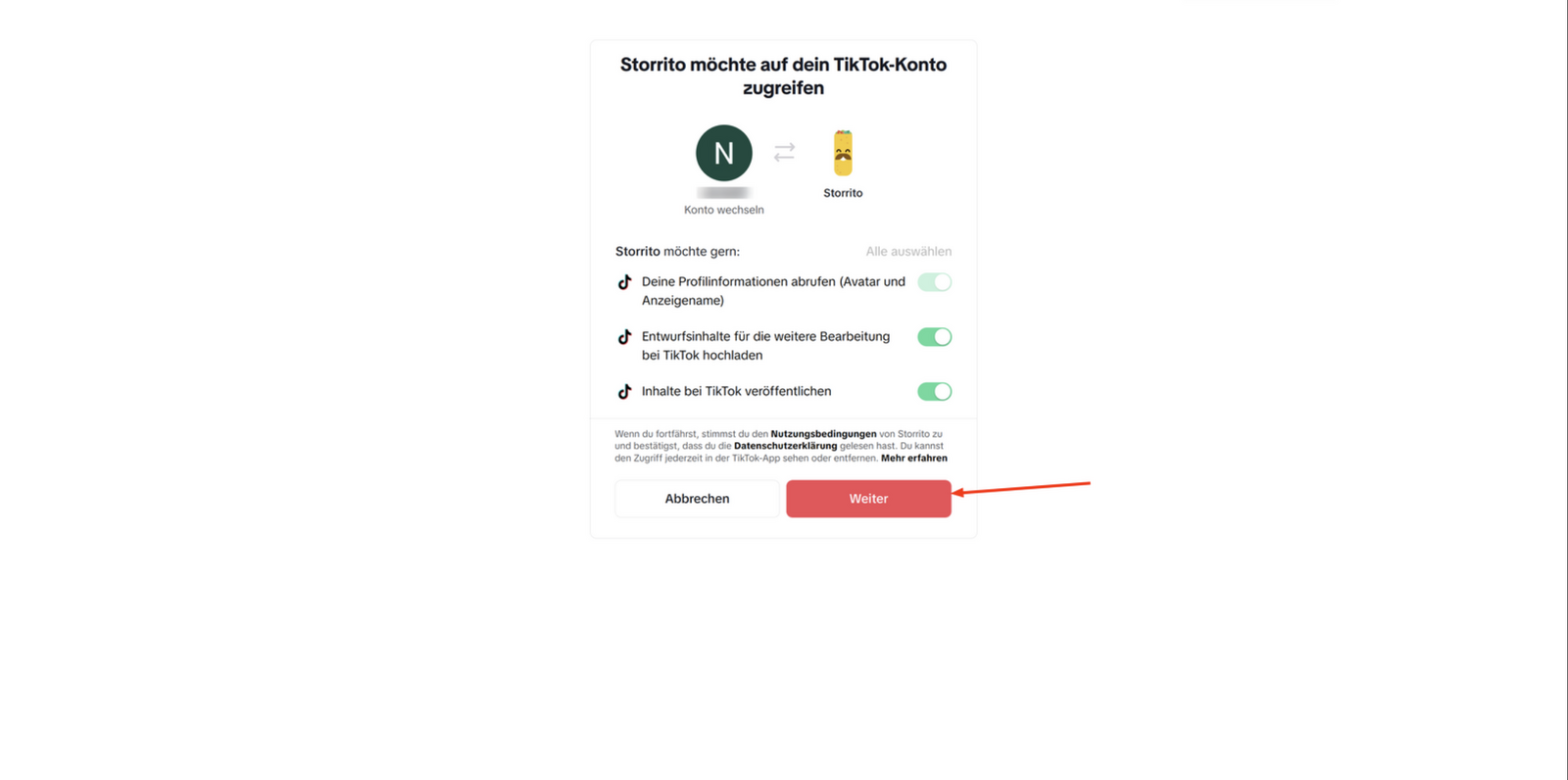
Step 2: Click through to TikTok's login page and approve access.

Step 3: Grant access to your TikTok account.
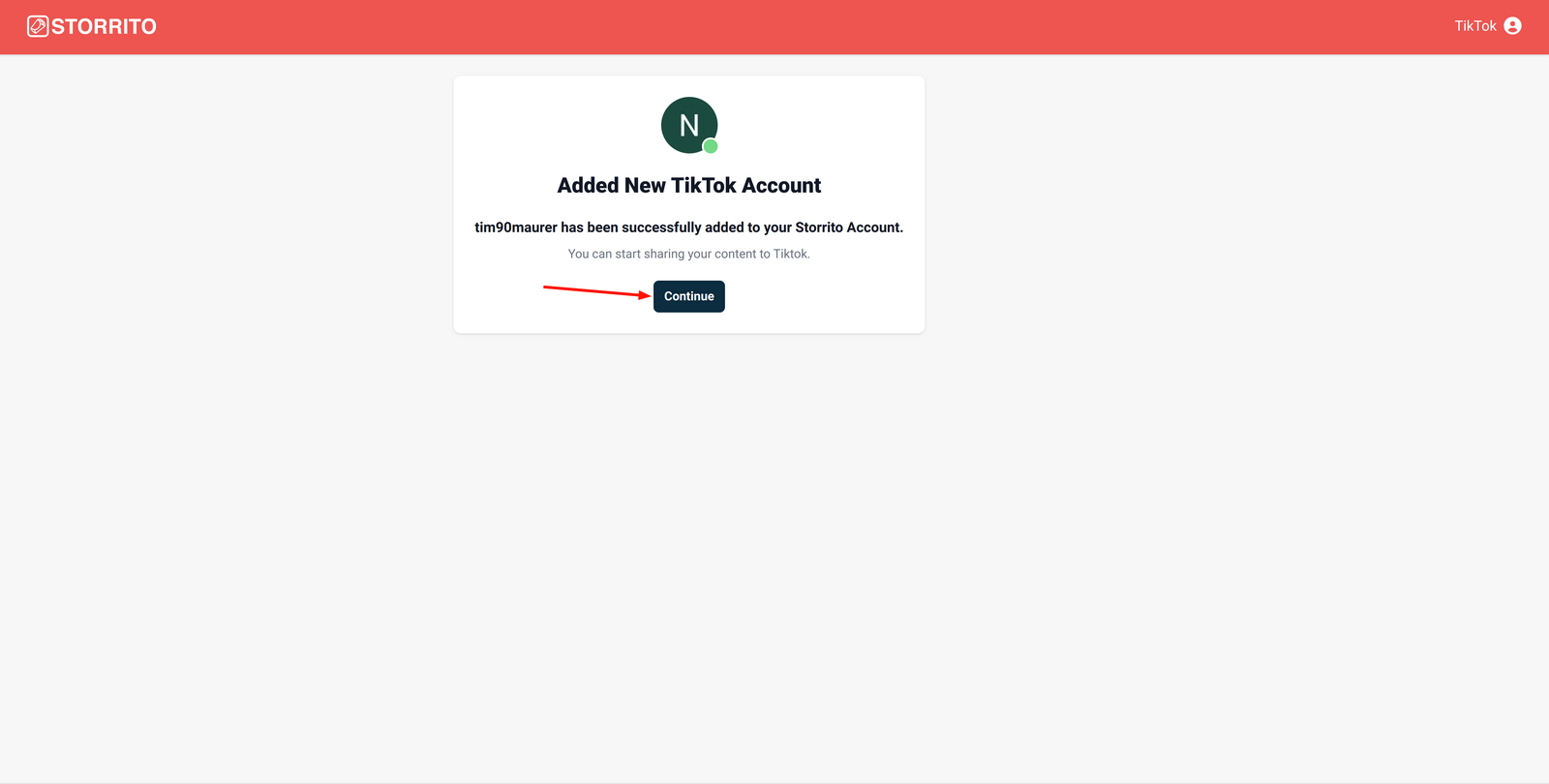
Step 4: You'll see Added New TikTok Account and land back on the TikTok Accounts page.
Post or schedule to TikTok
Step 1: Get your media into Storrito — Upload on the Schedule page, or create it in the editor.
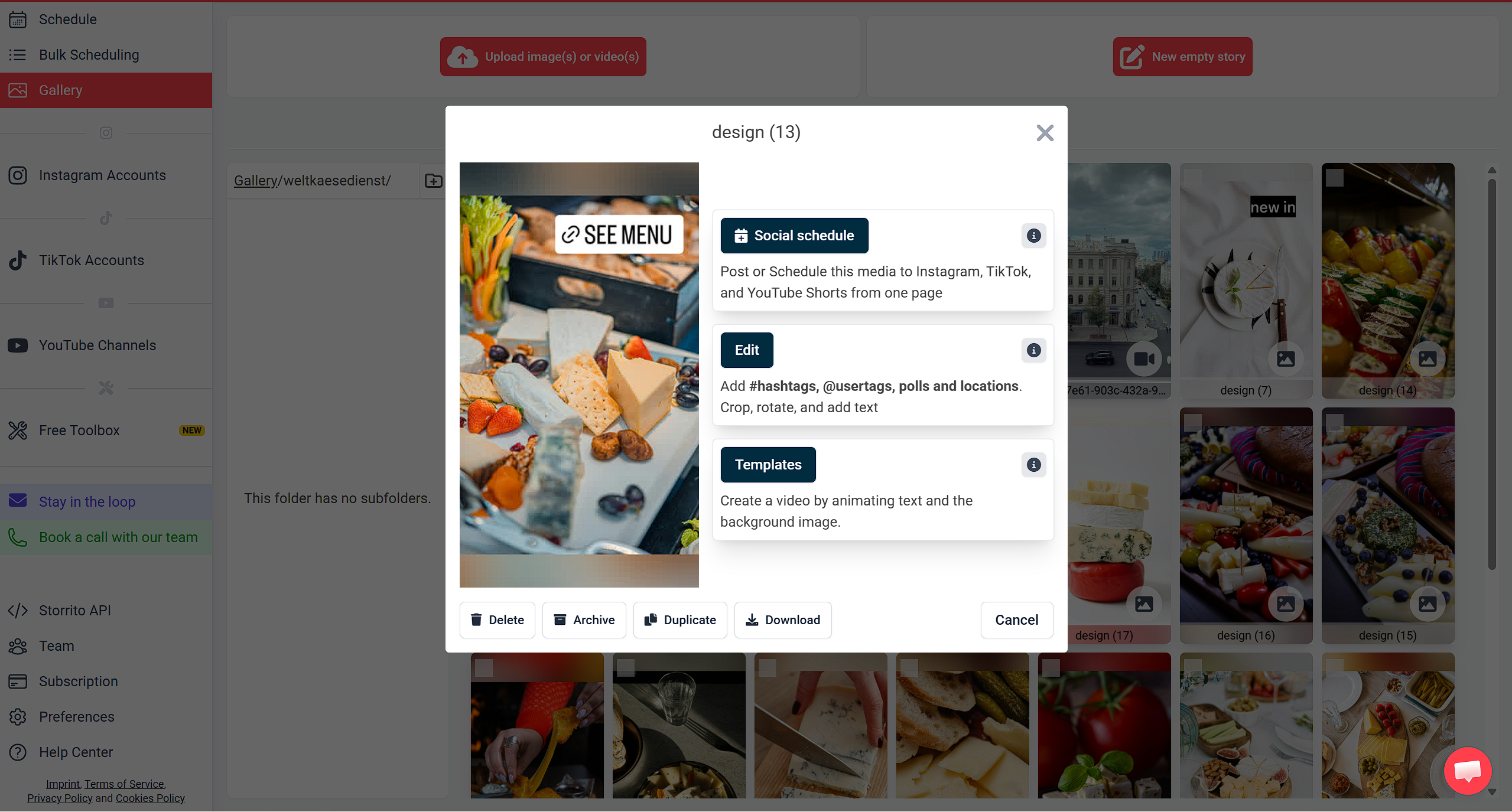
Step 2: Open the scheduling page. From the editor, click Share in the top right and choose Schedule story. From the Gallery, click your media and choose Social schedule under Post / Schedule to social platforms.
Step 3: Under Social accounts, click Select social accounts... and tick your account under the TikTok group.
TikTok accepts both images and video, so the media type is rarely the problem. If your account is greyed out anyway, the reason is written in amber underneath its name.
Step 4: Write your text in Caption / description. For TikTok videos, this becomes the description.
Step 5: Fill in the TikTok options card. The details are below.
Step 6: Set Date & time and click the button underneath. Leaving the date untouched posts immediately; changing it schedules for later.
TikTok options
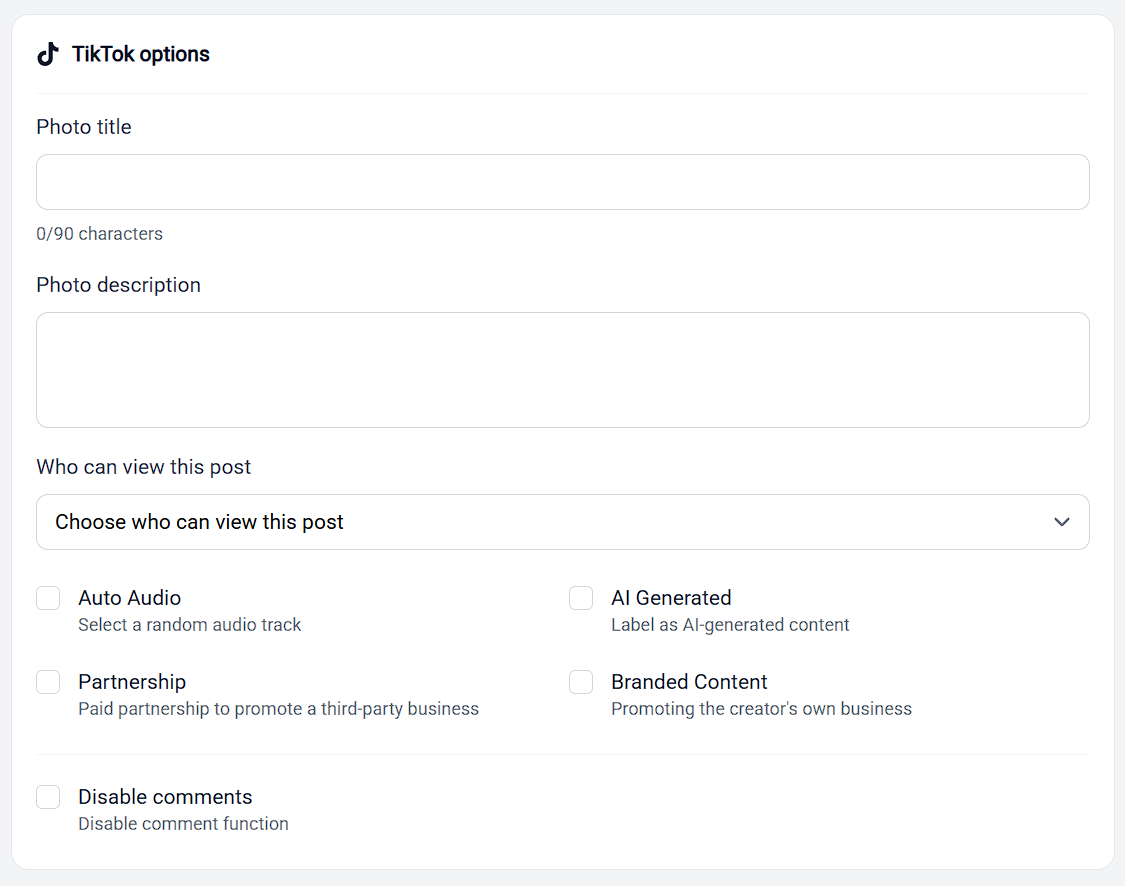
For image posts:
- Photo title — maximum 90 characters
- Photo description
- Auto Audio — adds a random audio track to the post
Required for every post:
- Who can view this post — choose Public, Friends, Followers, or Only me. The available choices are pulled from your own TikTok settings, so give the list a moment if it's still loading
Optional content labels:
- AI Generated — label the post as AI-generated content
- Partnership — a paid partnership promoting a third-party business
- Branded Content — promoting your own business
Interaction settings:
- Disable comments
- Disable Duet and Disable Stitch, for videos
Some of these can be locked by your TikTok account settings. If a checkbox won't change, the restriction is on TikTok's side rather than Storrito's.
Scheduling and canceling
TikTok posts can be scheduled for a future date like any other post. Scheduling activity on the scheduling page tracks the post through Scheduled → In progress → Live, with a Cancel link while it's still queued.
On the Schedule page the item shows as a TikTok post, with Edit, Re-schedule, and Cancel available on hover.
For the rules that apply across every platform, including how the date field decides between posting now and scheduling, see How Scheduling Works In Storrito.
TikTok limits how many posts an account can publish through a third-party tool in a day. See TikTok Post Limits.
Tools
- Subtitle overlay
- Auto Post Instagram Stories
- How to Upload a Video to Instagram Story from PC
- Schedule Instagram Stories with the Link Sticker
- Instagram bio generator
- Upload and post Instagram Reels from PC
- Subtitle generator
- Instagram grid maker
- Schedule Instagram Stories
- Turn an MP3 into an Instagram Story video
- Can you schedule Instagram stories? Yes, with Storrito.com! (Here's How)
- Instagram Story bingo generator
- Storrito toolbox
- Instagram Story Planner (Scheduler)
- Instagram font generator
- Instagram Story 'this or that' generator
- Schedule Facebook Stories from PC
- Instagram Story Maker Online
- Trim a video
- Instagram carousel maker
- PDF to Instagram carousel
- How to schedule Instagram Reels
- How to add a story in Instagram from PC or Mac?
- Post Instagram Stories from PC
- Instagram Story tier list generator