Your Next Billing Date
With pay-as-you-go there is no billing date. You're only charged when you buy more credits, or when auto top-up adds your chosen amount because the balance dropped below $5 (at most once per day).
If you're on one of the older monthly or yearly top-up plans, the Subscription page shows the details of your upcoming payment, including your next billing date. This is the date when your next subscription fee will be charged.
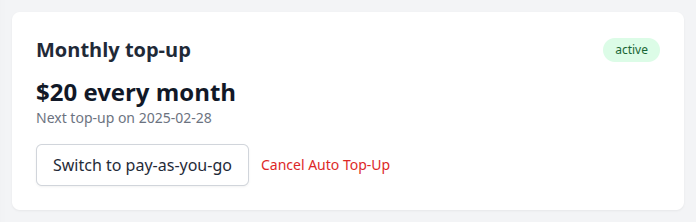
What happens on your billing date
On your billing date, Storrito automatically charges your payment method for the amount you've set as your subscription. Your wallet is then topped up with the corresponding credits.
If you are on a legacy plan (Storrito Standard, Professional, Enterprise or Instagram Accounts), your next payment date is shown under Next Payment on your Subscription page.
If your payment fails, your subscription moves to a past-due state — see Past Due Subscriptions for troubleshooting.
Viewing your invoices
After each successful charge, your invoice will be available on the Subscription page. Click Invoices to see your billing history or download individual invoices.
Need to change your payment method?
Tools
- Subtitle overlay
- Auto Post Instagram Stories
- How to Upload a Video to Instagram Story from PC
- Schedule Instagram Stories with the Link Sticker
- Instagram bio generator
- Upload and post Instagram Reels from PC
- Subtitle generator
- Instagram grid maker
- Schedule Instagram Stories
- Turn an MP3 into an Instagram Story video
- Can you schedule Instagram stories? Yes, with Storrito.com! (Here's How)
- Instagram Story bingo generator
- Storrito toolbox
- Instagram Story Planner (Scheduler)
- Instagram font generator
- Instagram Story 'this or that' generator
- Schedule Facebook Stories from PC
- Instagram Story Maker Online
- Trim a video
- Instagram carousel maker
- PDF to Instagram carousel
- How to schedule Instagram Reels
- How to add a story in Instagram from PC or Mac?
- Post Instagram Stories from PC
- Instagram Story tier list generator