How To Add The Countdown Sticker
The Countdown sticker on Instagram Stories is a great way to build excitement for an event or product launch. Here's how to add this interactive element using Storrito.
Steps to Add a Countdown Sticker in Storrito
Step 1: In the editor, click “Sticker” in the left sidebar to open the sticker panel.
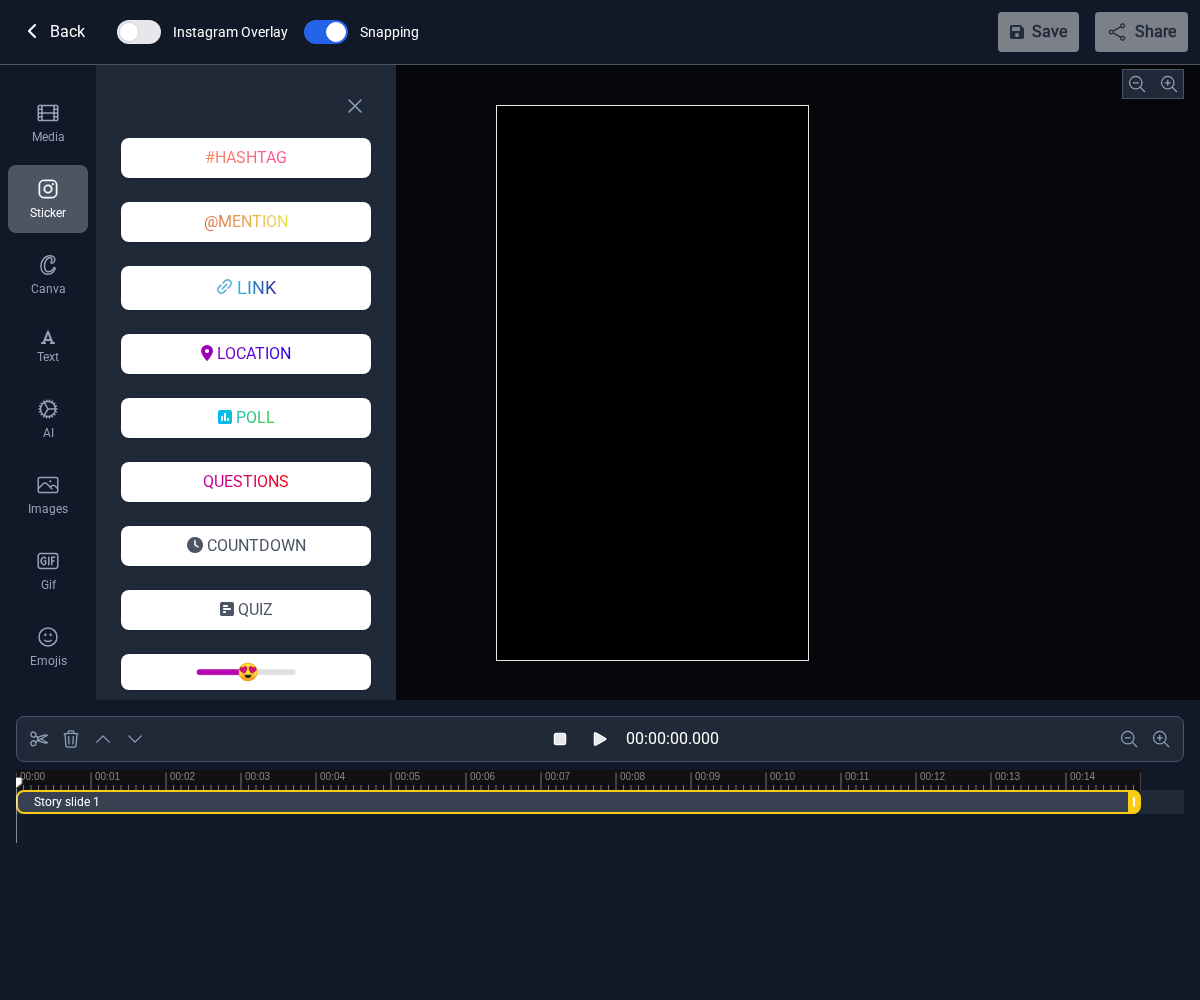
Step 2: Click the “COUNTDOWN” button. A dialog will appear where you can configure your countdown.
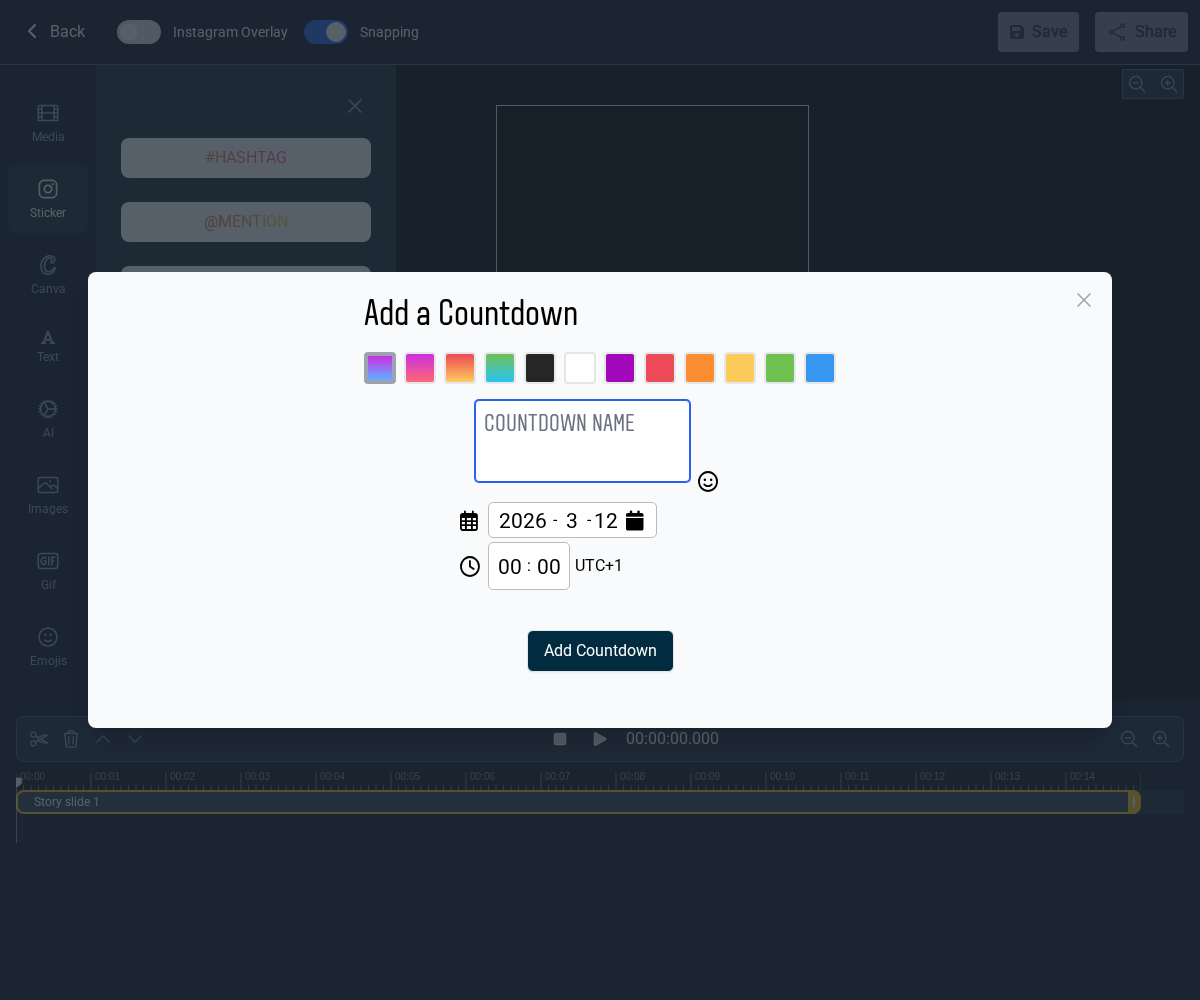
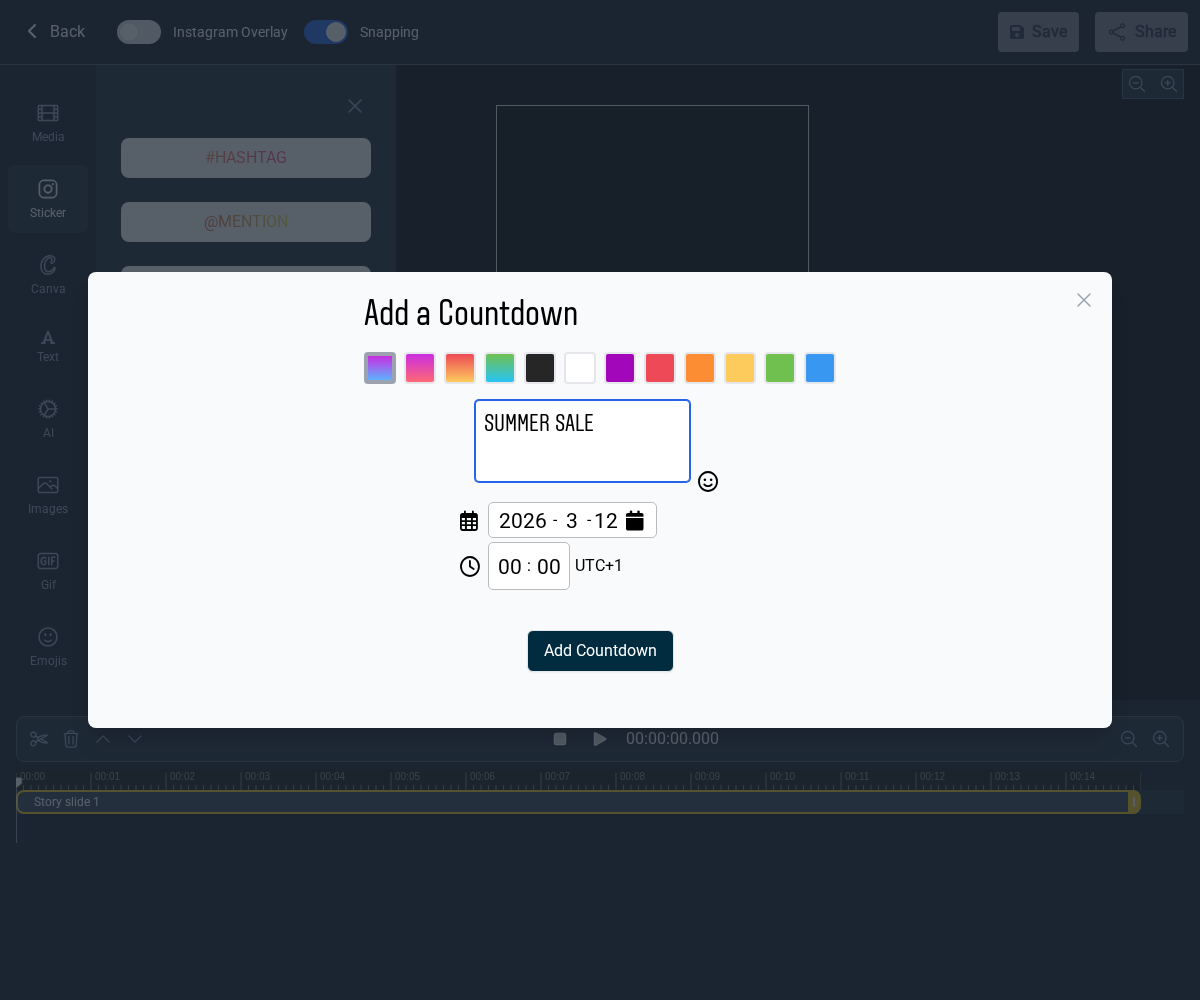
Step 3: Fill in the countdown details:
- Name: Enter a title for your countdown (e.g. “Summer Sale”).
- Color: Pick a color theme from the available options.
- Date and Time: Set when the countdown ends.
- Click “Add Countdown” when you're done.
Step 4: The Countdown sticker is now part of your story. You can drag it to reposition it on the canvas.
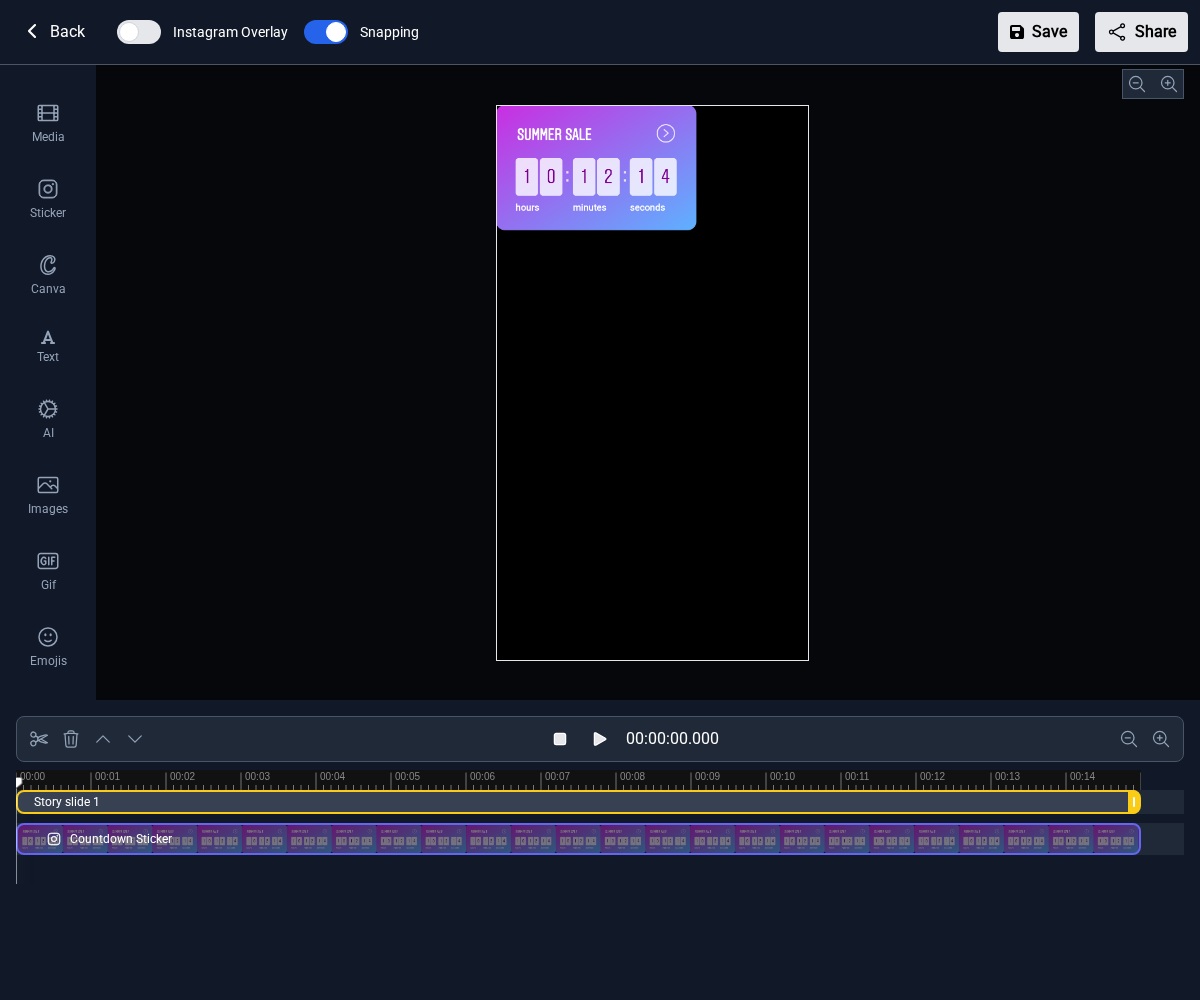
Adding a Countdown sticker in Storrito is quick and easy! This feature helps you generate interest and engage potential customers. For more details on how to use the Countdown sticker effectively for your business, check out our in-depth article here.
Tools
- Subtitle overlay
- Auto Post Instagram Stories
- How to Upload a Video to Instagram Story from PC
- Schedule Instagram Stories with the Link Sticker
- Instagram bio generator
- Upload and post Instagram Reels from PC
- Subtitle generator
- Instagram grid maker
- Schedule Instagram Stories
- Turn an MP3 into an Instagram Story video
- Can you schedule Instagram stories? Yes, with Storrito.com! (Here's How)
- Instagram Story bingo generator
- Storrito toolbox
- Instagram Story Planner (Scheduler)
- Instagram font generator
- Instagram Story 'this or that' generator
- Schedule Facebook Stories from PC
- Instagram Story Maker Online
- Trim a video
- Instagram carousel maker
- PDF to Instagram carousel
- How to schedule Instagram Reels
- How to add a story in Instagram from PC or Mac?
- Post Instagram Stories from PC
- Instagram Story tier list generator